volleyBoard7 eight volleyball disciplines, one licence
Volleyball Scoreboard Software
volleyBoard7 puts the points, sets, serve and completed set scores of indoor, beach, sitting and five more volleyball disciplines on your venue LED display. You give each rally to the team that won it; sets, set point, match point and side switches follow the match rules by themselves.
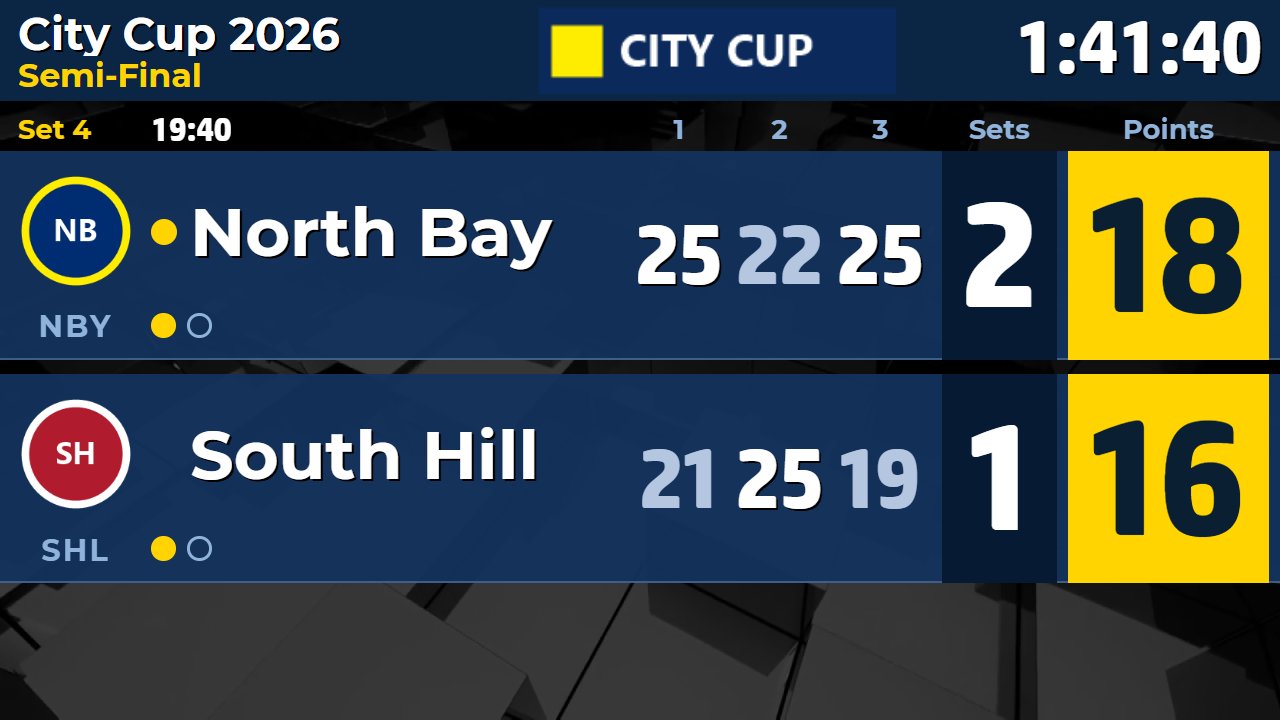
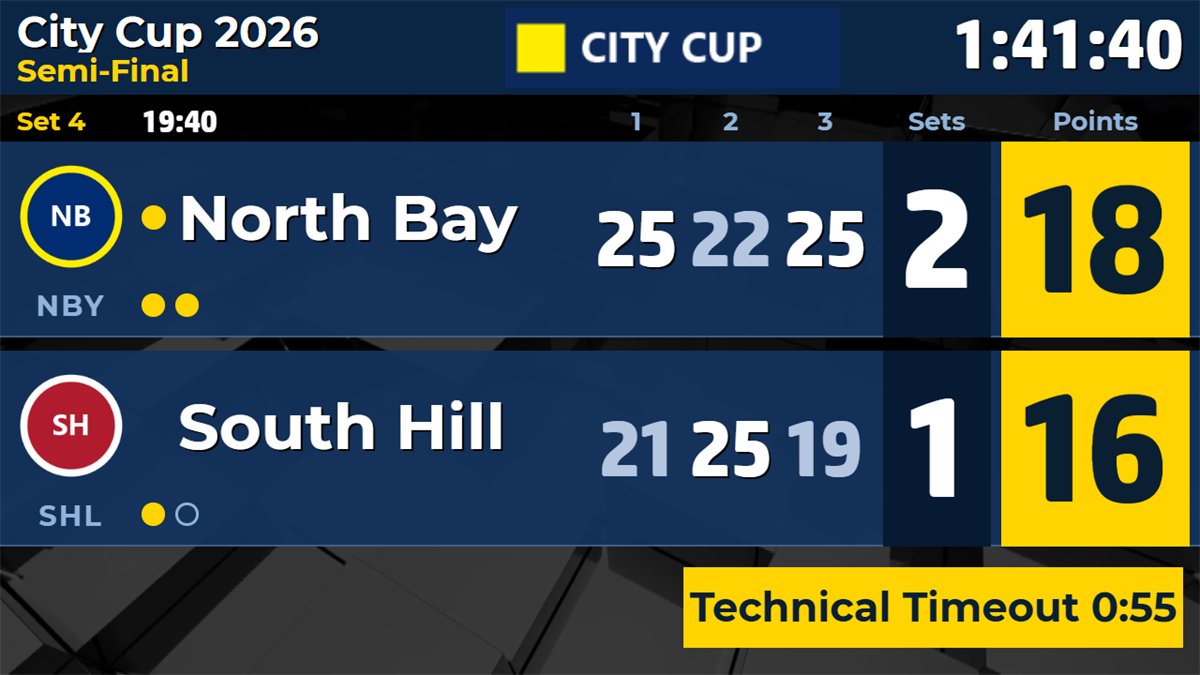
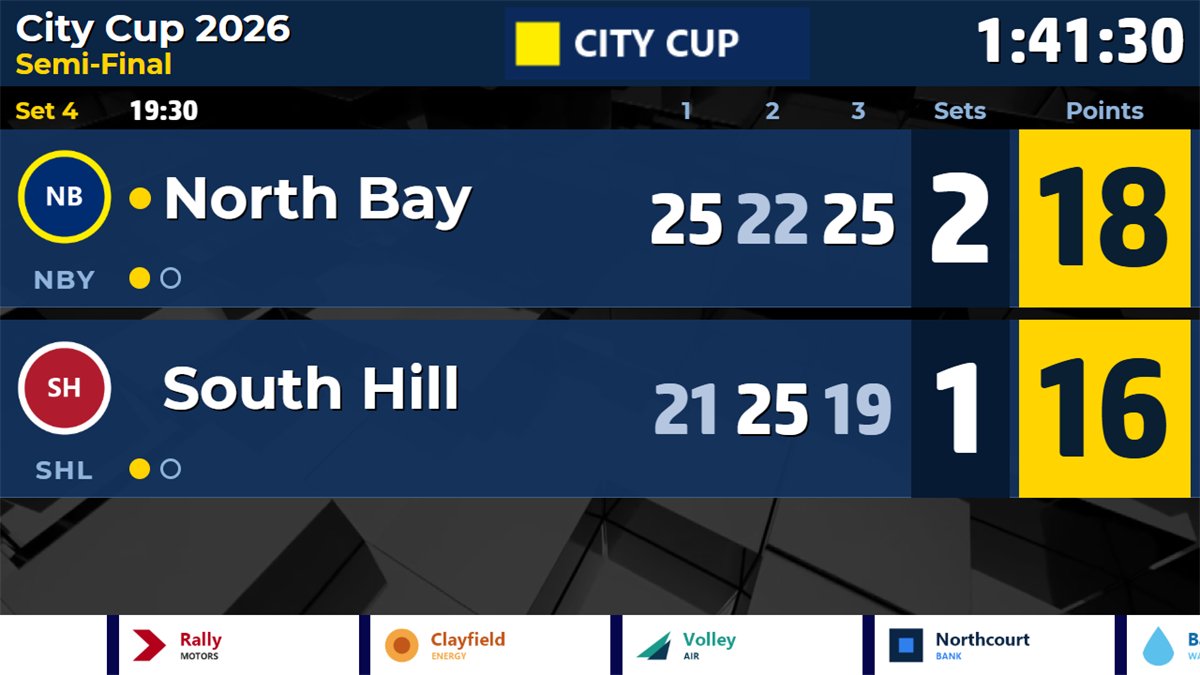
The Standard board in the fourth set: completed set scores, sets won, points, the serve ball and the match time.
🏐
Automatic sets and serve
Give the rally, and the set, the serving team, set point, match point and the deciding set follow the rules. Undo is always one click away.
⏱️
Timeouts and technical timeouts
Team timeouts with countdown, technical timeouts at the points of the leading team or of both teams, and side-switch alerts.
🔁
Substitutions and libero
Substitutions counted against the limit of the discipline, a libero indicator on the board, and sanctions from warning to disqualification.
🎥
Video challenges
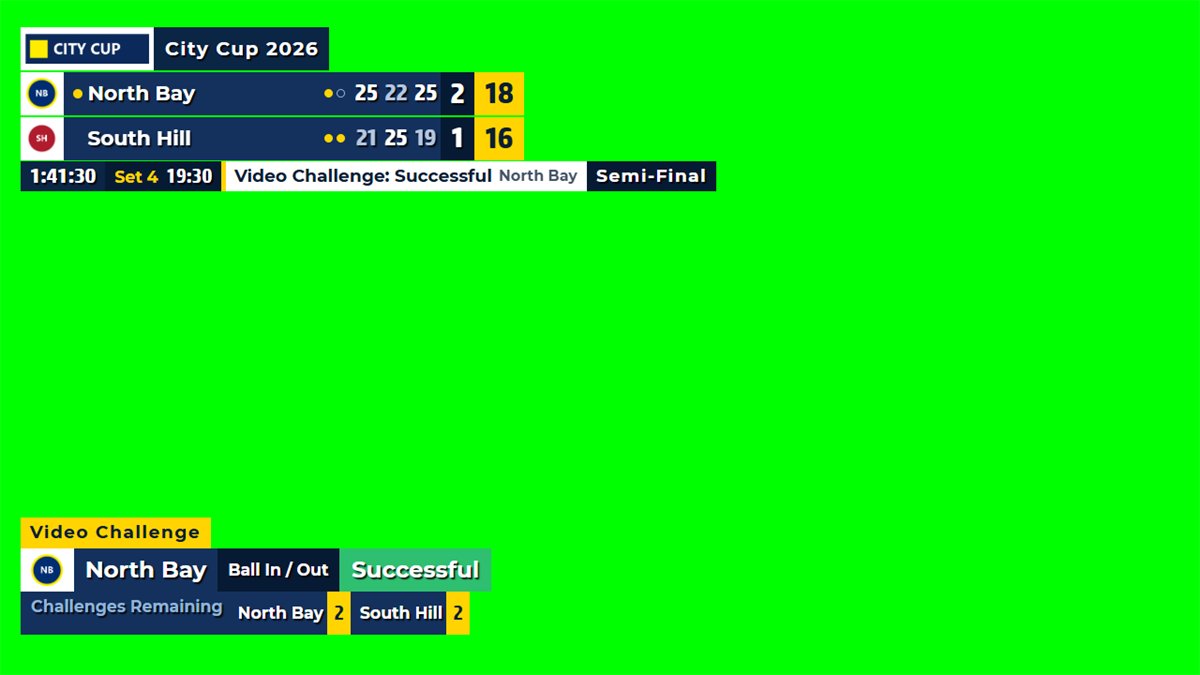
Record a challenge and its result. The board shows the pending check and the result, and the challenges left per set are counted.
📊
Info screens and statistics
13 info screens from Starting Lineup to Officials, and ten statistics such as attack points, aces and side-out computed from the rallies.
📱
Free mobile remote
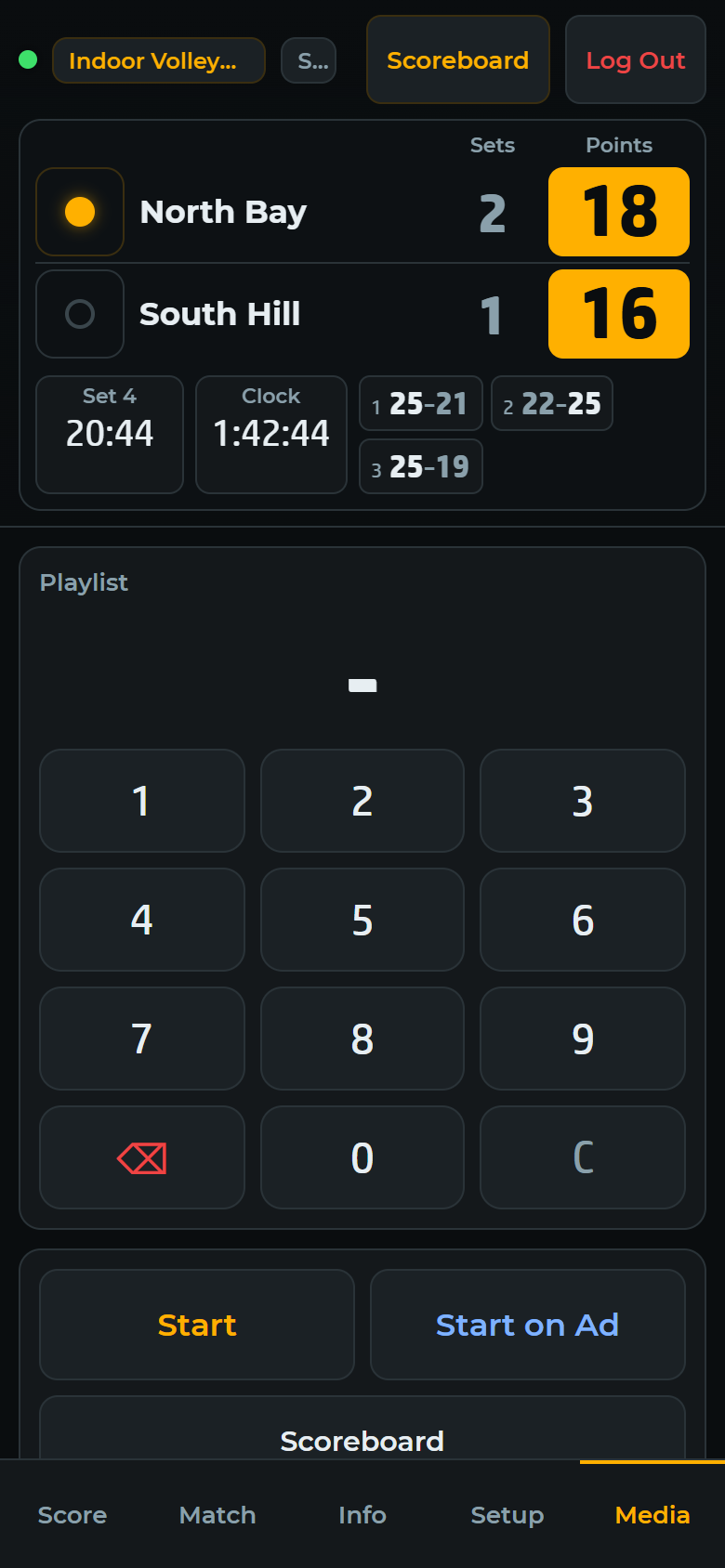
Score the match from a phone or tablet browser at courtside, with Score, Match, Info, Setup and Media tabs. No app to install.
Video tutorials
Learn volleyBoard7 step by step
18 short lessons show how to run a match and set up the board. Volleyball operators can watch only the part they need. Each video has on-screen captions and no narration.
Choose the discipline with the Mode button. Each one loads its own factory rules for sets, points, timeouts, substitutions, technical timeouts and side switches, and every rule can be changed in Match Rules and kept for the next matches. No extra modules to buy.
Volleyball Scoreboard Software
volleyball scoreboard software
Indoor 6-a-side volleyball: best of five sets to 25, the deciding set to 15 with a 2-point lead, 2 timeouts of 30 seconds and 6 substitutions per set, libero, optional technical timeouts at 8 and 16 points.
Beach Volleyball Scoreboard Software
beach volleyball scoreboard software
Best of three sets to 21 with a 15-point decider, one timeout per set, a technical timeout at 21 points of both teams together, and a side switch every 7 points (every 5 in the deciding set).
Sitting Volleyball Scoreboard Software
sitting volleyball scoreboard software
The indoor rules, checked against the World ParaVolley sitting volleyball rules: best of five to 25, libero, 2 timeouts and 6 substitutions per set, for para-sport events.
Snow Volleyball Scoreboard Software
snow volleyball scoreboard software
Best of three sets to 15 with 2 substitutions per set, following the FIVB snow volleyball format, one timeout per set and a side switch every 5 points.
Footvolley Scoreboard Software
footvolley scoreboard software
Best of three sets to 18 with a 15-point decider, one 60-second timeout per set and a side switch every 6 points. The defaults follow common practice: check them against your event.
Park and 4v4 Volleyball Scoreboard
4v4 volleyball scoreboard software
Best of three sets to 21, one timeout per set, substitutions counted but never refused, and a side switch every 7 points, for 4-a-side and recreational tournaments.
Nine-Man Volleyball Scoreboard
nine-man volleyball scoreboard software
Best of three sets to 21 with a point cap of 25, 2 timeouts per set, unlimited substitutions and a side-change alert after each set and at 8 points in the deciding set.
Mini Volleyball Scoreboard
mini volleyball scoreboard software
Best of three sets to 15 for youth formats, one timeout per set, unlimited substitutions and a side-change alert after each set. Adjust the values to the format of your federation or club.
Every rule is a setting. Sets to win, points per set, the deciding set, winning margin, point caps, timeouts and their length, substitutions, technical timeouts, libero, video challenges and side switches all have their own row in Match Rules. Presets such as Best of 3, 1 Set and Video Challenge load common variants in one click.
Operator panel
Score the rally, the board does the rest
The Game tab holds every control of a live volleyball match. The board window goes to a second display, a projector, an LED wall or an NDI receiver, and global keyboard shortcuts work even while another program has the focus.
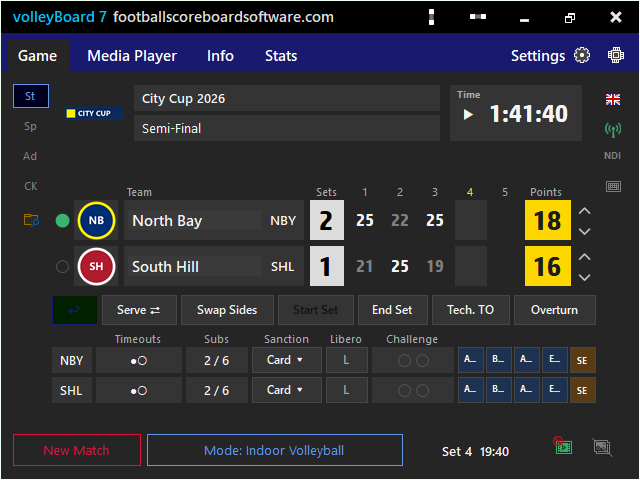
Game tab during a live match
Each team row shows the serve, the sets won, the completed set scores and the points, with timeouts, substitutions, sanctions, libero and challenge in their own columns. Point-outcome buttons record attack, block, ace, opponent error and serve error with the point.
Serve follows the rallies; change it with one click after the toss
Undo takes back the last action, also a point with its outcome
Swap Sides, Start Set, End Set and Reopen the Last Set
Team names on one or two lines, logos or country flags
Match rules for every discipline
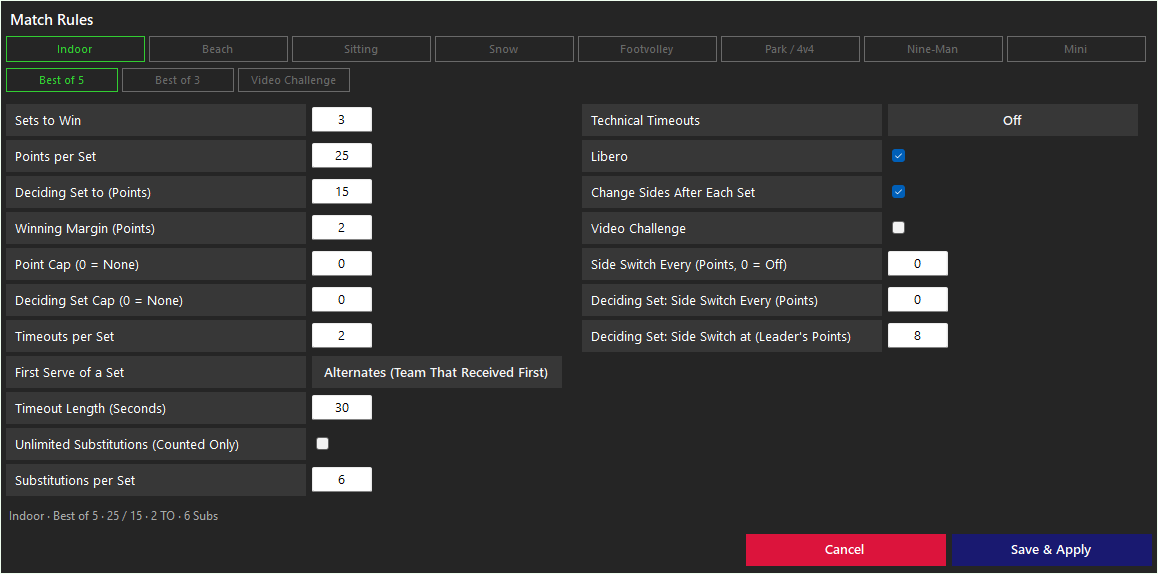
The Match Rules window has a button for each of the eight disciplines and its presets, two columns of rules and a one-line summary such as "Indoor · Best of 5 · 25 / 15 · 2 TO · 6 Subs".
Rows that do not apply to the current choices are hidden
Values outside their range turn red before saving
Changing a scoring rule during a match asks before it resets the match
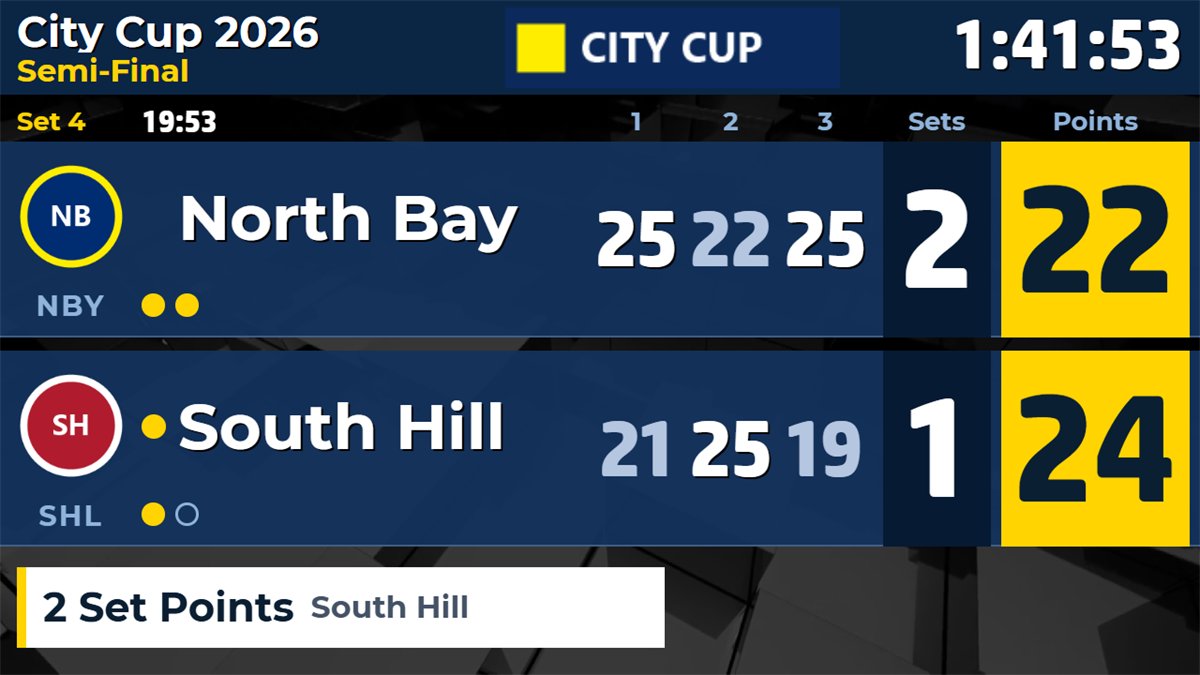
Set point and match point callout
The program works out set and match points by itself and shows them in a band on the scoreboard: "Set Point", "2 Match Points" or "Championship Point" in a final, with the team that has it.
Shown automatically, or only when you click Show Now
Deciding Set and the final result in the status band
Also in the chroma key scorebug
Timeouts and technical timeouts on the board
A team timeout or a technical timeout shows its countdown on the board. Technical timeouts start by themselves at the points you set, for example 8 and 16 points of the leading team indoors or 21 points of both teams in beach volleyball.
Timeout length from 10 to 300 seconds
Side-switch alerts with Swap Sides or Dismiss
Match clock and set clock
Screens and layouts
Info screens, designs and broadcast graphics
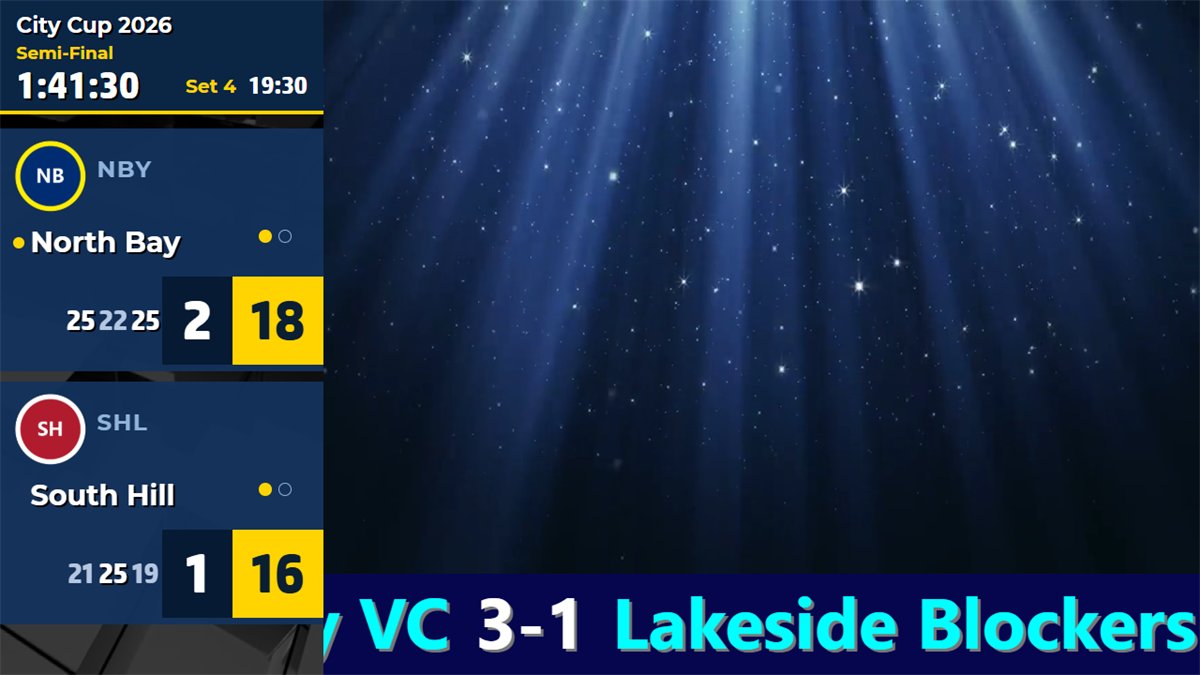
Thirteen volleyball info screens show as full pages on the Standard board and as lower thirds on the Chroma Key board. The Standard board comes in five factory designs, and every element can be changed in the design editor.
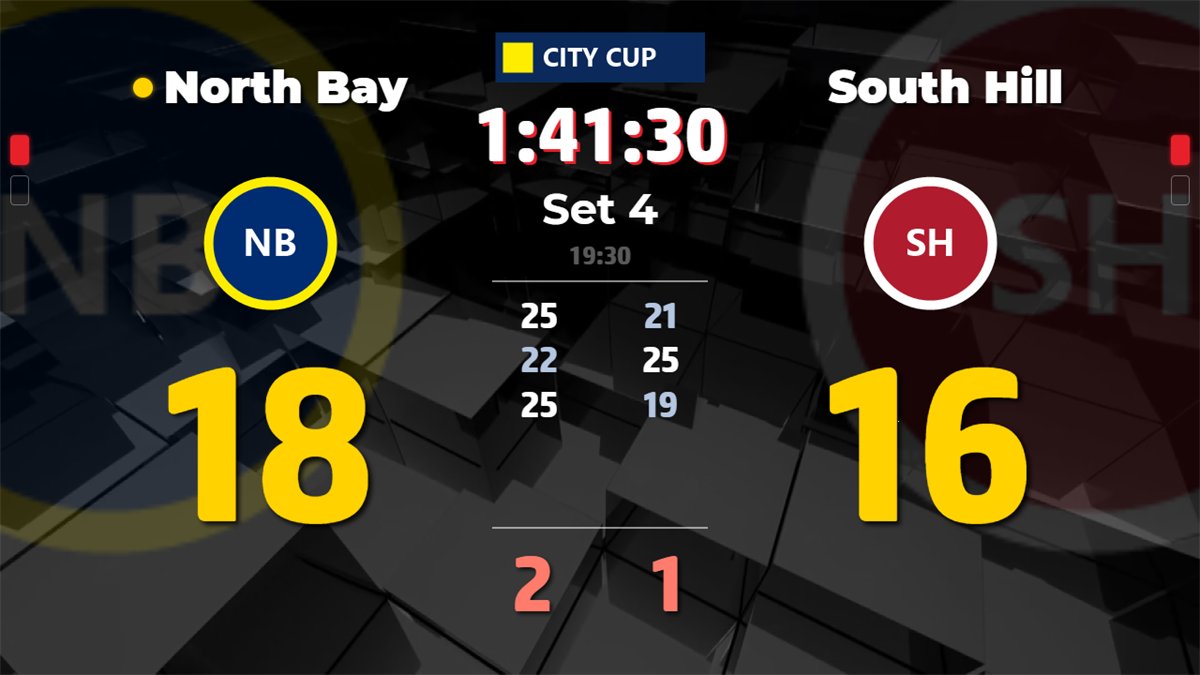
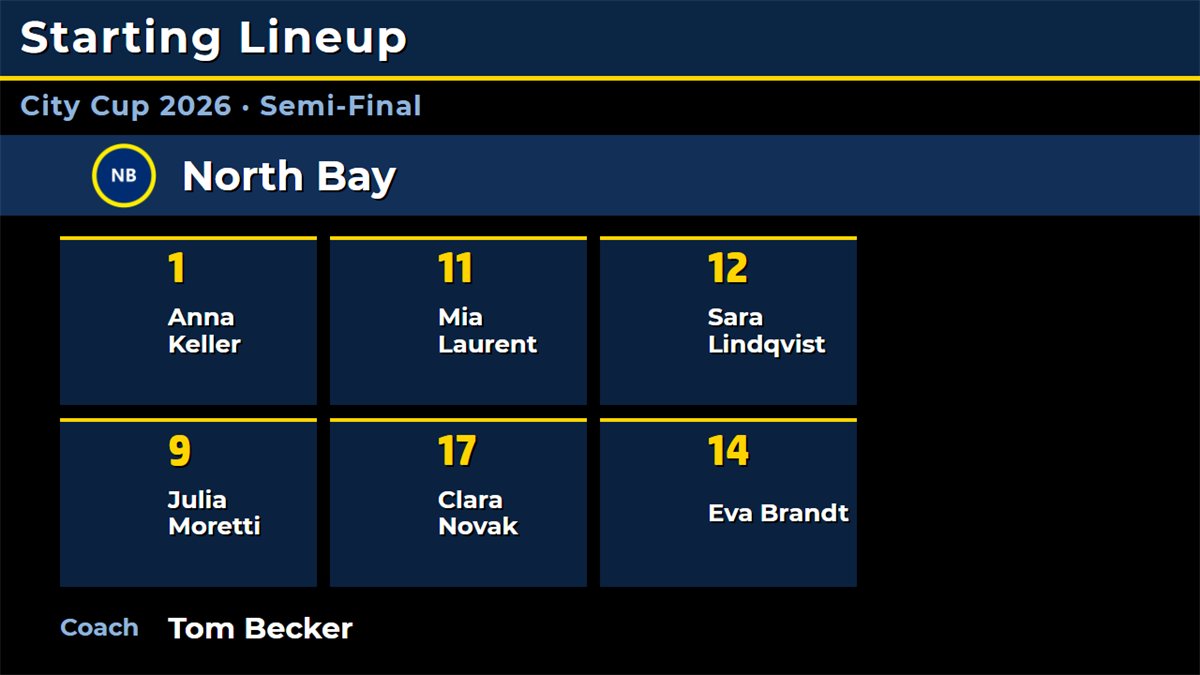
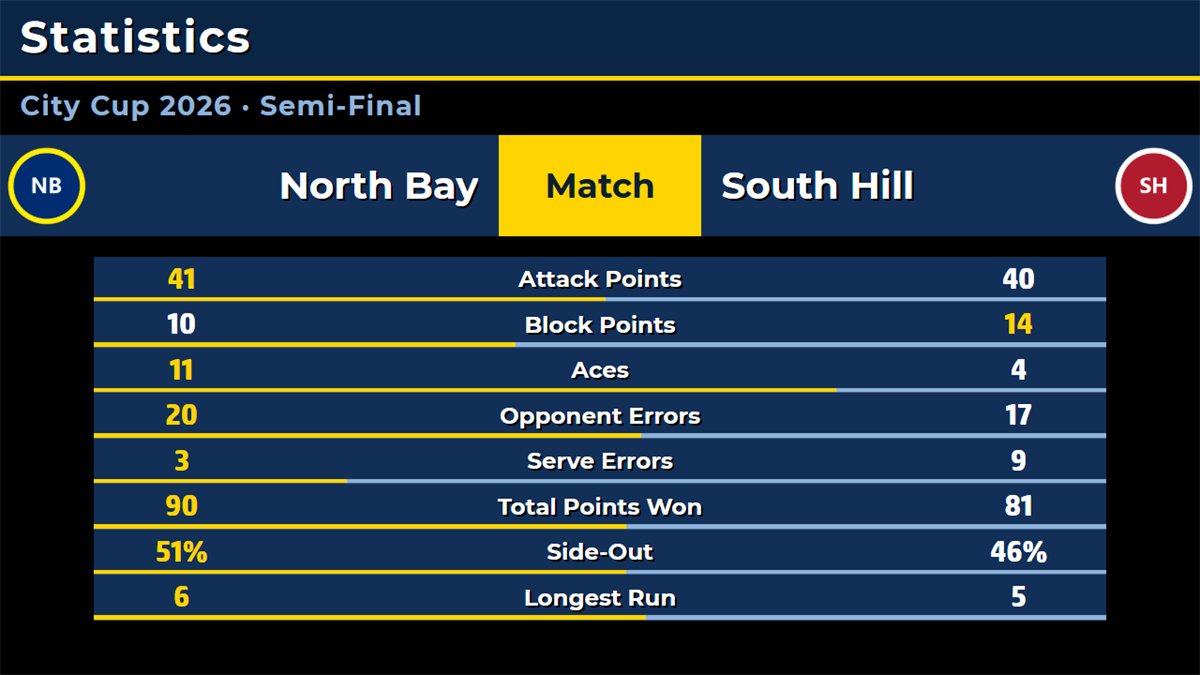
Arena designLarge points and logos, the set scores in the centre: one of five factory designs.Starting LineupThe six starters with numbers and names, and the coach.StatisticsAttack and block points, aces, errors, side-out and longest run, per set or for the match.Chroma key video challengeScorebug and a lower third with the checked call and the challenges remaining.Sponsored modeThe full scoreboard with a band of sponsor images or a scrolling text.Advertisement modeA score column beside a large area for a video playlist, camera or screen capture, with a banner.
Free mobile remote control
Run the board from your phone
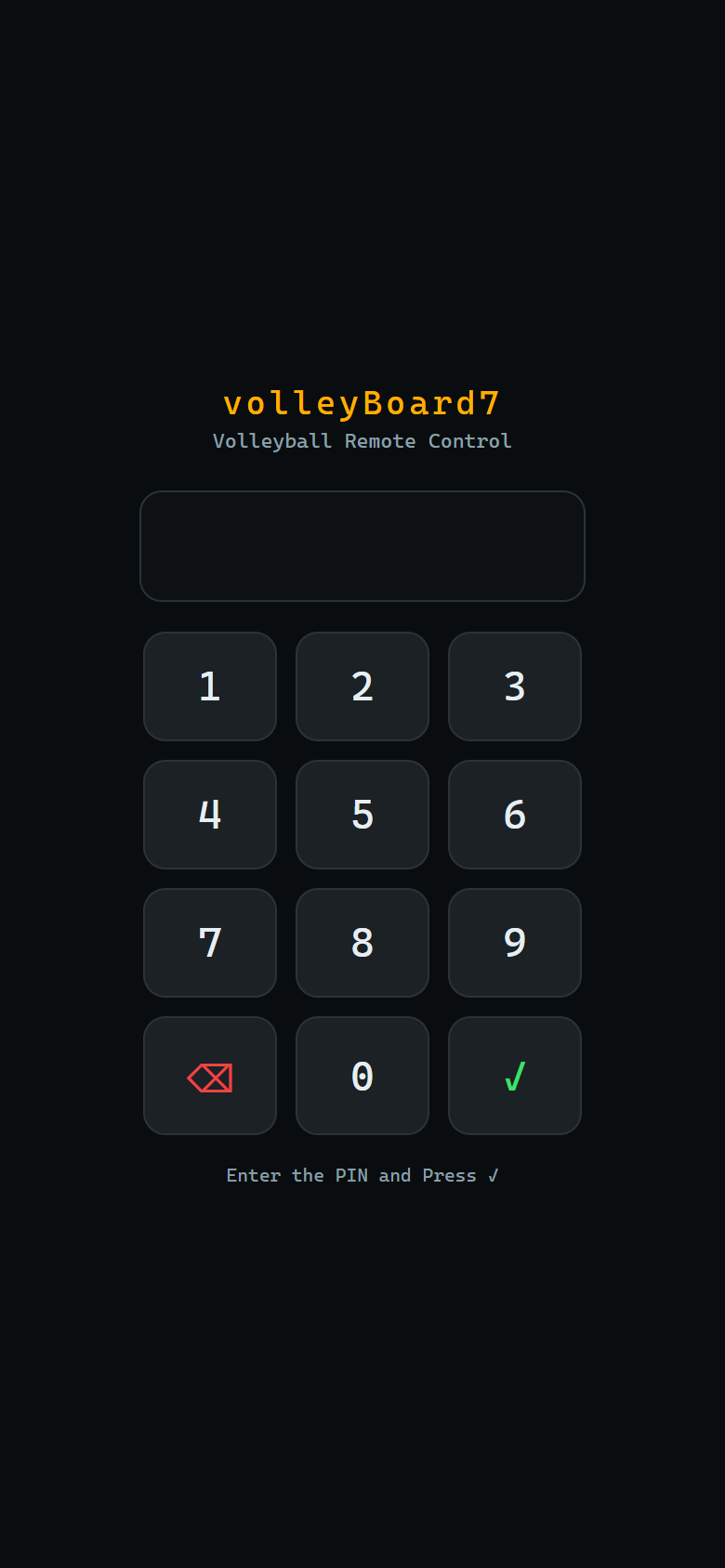
volleyBoard7 includes a free web-based remote control: open it in any phone or tablet browser on the venue network, or scan the QR code on the PC, with nothing to install. A PIN locks access. The header always shows the score, sets, set clock and completed sets, and the page follows changes made on the PC. On a tablet the cards sit in two columns with larger Point buttons.
No one connects without the PIN, which you set and change inside volleyBoard7.
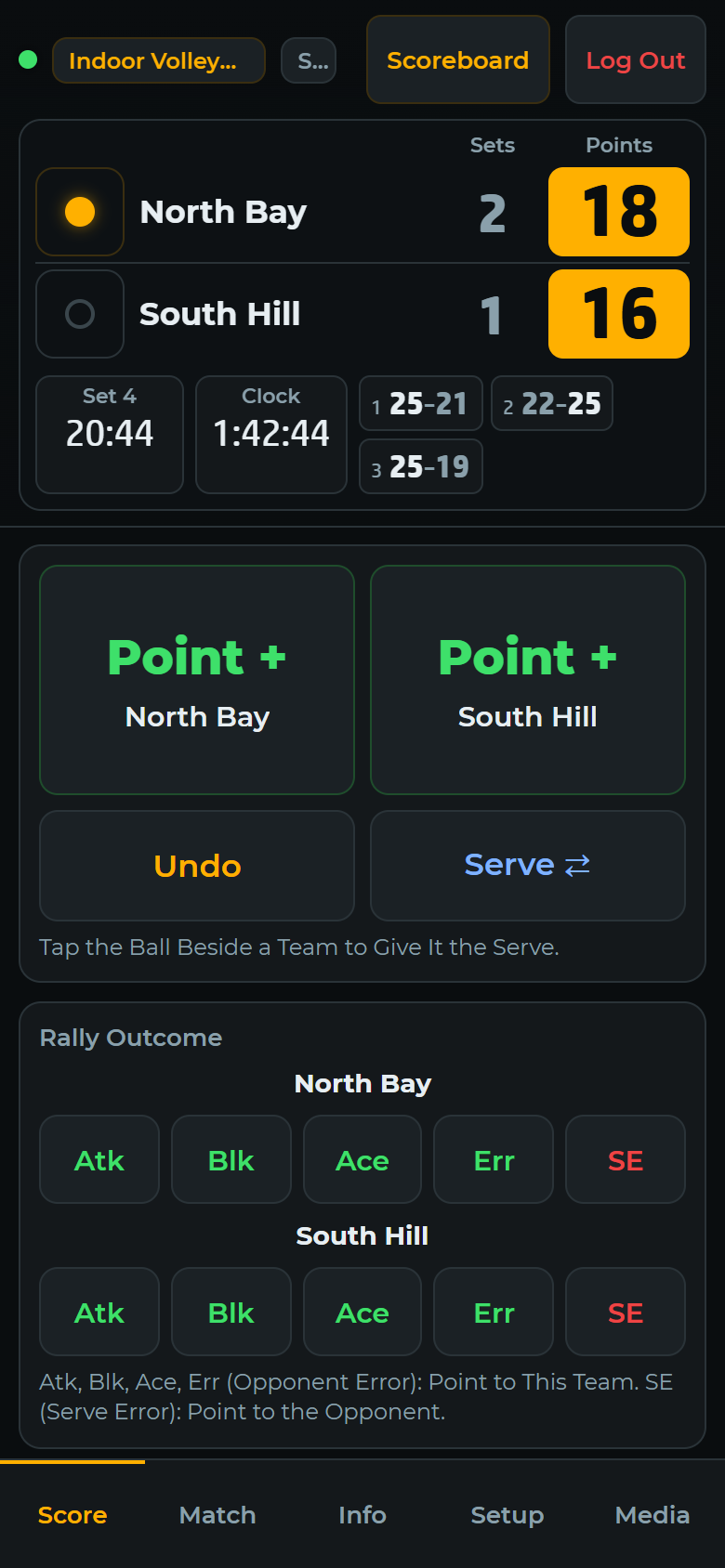
Score
Point, Undo and Serve
Give the rally to a team, or score it with Atk, Blk, Ace, Err or SE for the statistics.
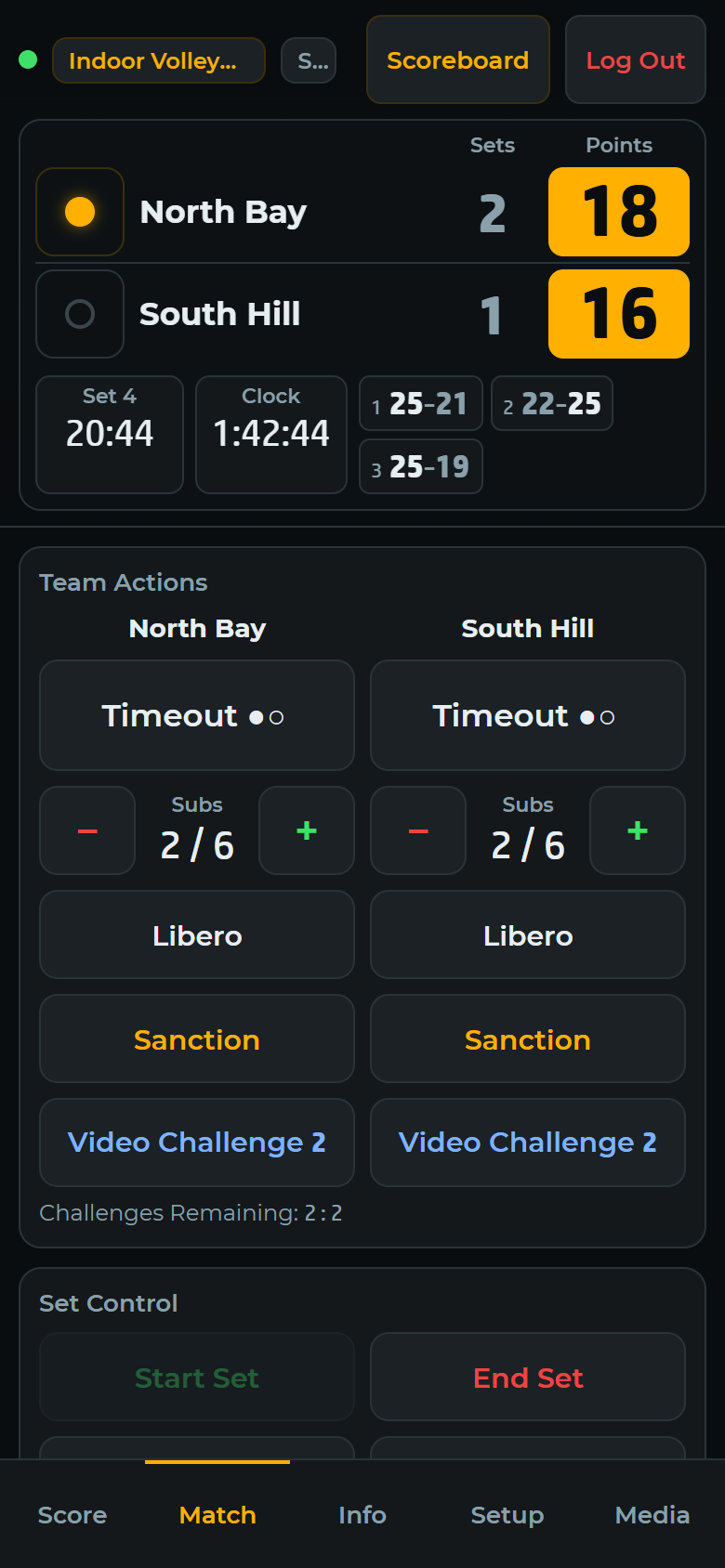
Match
Team actions
Timeouts, substitutions, libero, sanctions, video challenges and set control per team.
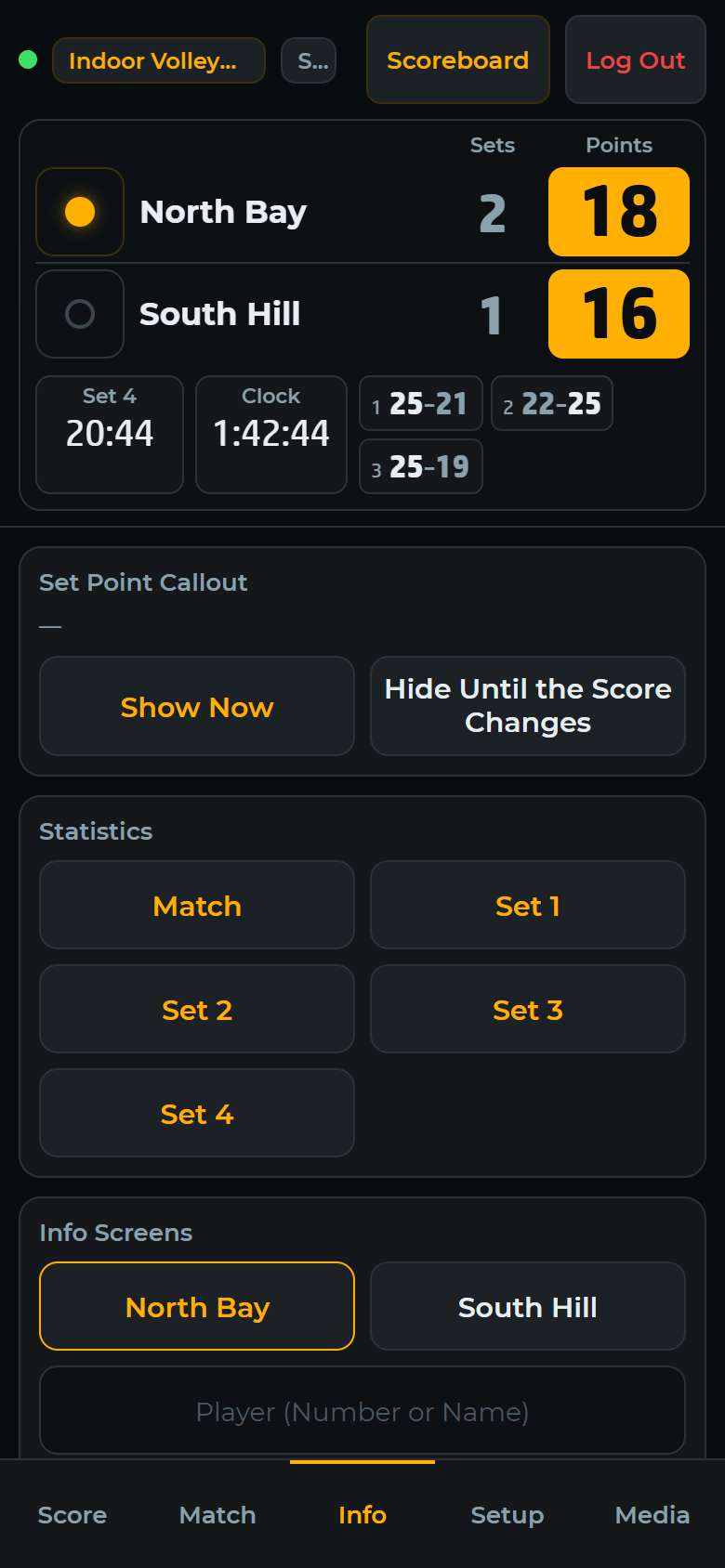
Info
Info screens
Set point callout, statistics per set and every info screen, with the screen on air highlighted.
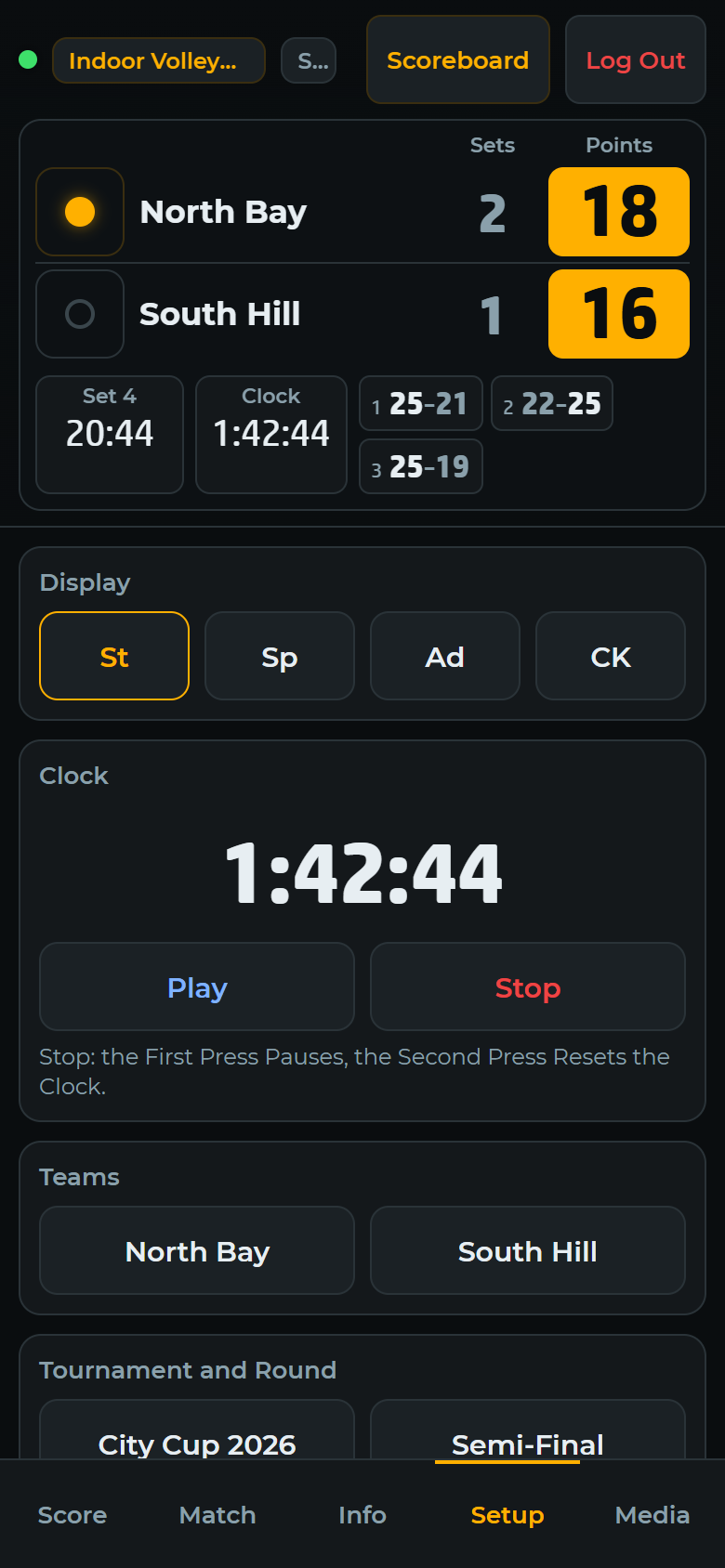
Setup
Display, clock and names
Switch St, Sp, Ad and CK, run the match clock, edit team names, tournament and discipline.
Media
Playlists
Start one of six playlists in the media player or on the Advertisement board.
Built for courtside. The remote is a web page served by volleyBoard7 itself on port 1907: no app store, no account and no internet connection required. Several devices can open it; let one person score at a time, because two remotes can give the same point twice.
Try volleyBoard7 free
The demo has every feature, all eight disciplines, info screens and the remote, with a small watermark on the board.
volleyBoard7 is scoreboard and match-graphics software for volleyball. It runs on Windows 10 and 11 and draws the board on an LED display, a projector or an NDI stream. It scores sets and serve by the rules, shows 13 info screens and statistics, plays sponsor media and includes a free phone remote. It is sold as a lifetime licence.
Which sports does volleyBoard7 support?
volleyBoard7 supports eight disciplines: indoor volleyball, beach volleyball, sitting volleyball, snow volleyball, footvolley, park / 4v4 volleyball, nine-man volleyball and mini volleyball. All are included in the same licence and selected with the Mode button.
Can volleyBoard7 be used as a Beach Volleyball scoreboard?
Yes. Beach volleyball is a ready discipline: best of three sets to 21 with a 15-point deciding set, one timeout per set, a technical timeout at 21 points of both teams together and side-switch alerts every 7 points (every 5 in the deciding set). No extra licence or module is required.
Can volleyBoard7 be used as a Sitting Volleyball scoreboard?
Yes. Sitting volleyball is a ready discipline with the indoor rules, checked against the World ParaVolley sitting volleyball rules: best of five sets to 25, libero, 2 timeouts and 6 substitutions per set. No extra licence or module is required.
Does volleyBoard7 handle set point, match point and side switches automatically?
Yes. You give each rally to the team that won it. The program changes the serve, ends the set at the right score and margin, starts the deciding set, shows Set Point and Match Point and gives side-change alerts by the rules of the discipline. The teams change sides on the board when you click Swap Sides.
Can I change the rules, for example sets to 15 or a point cap?
Yes. Match Rules has a row for sets to win, points per set, the deciding set, winning margin, point caps, timeouts and their length, substitutions, technical timeouts, libero, video challenges and side switches. Your rules are kept for the next matches.
Does volleyBoard7 support video challenges and statistics?
Yes. With the video challenge system switched on, the board shows a pending challenge and its result, and unsuccessful challenges per set are counted. Ten statistics, such as attack points, block points, aces, side-out and longest run, are computed from the rallies and can be shown on the board.
Can I control volleyBoard7 from a phone?
Yes. volleyBoard7 includes a free web-based remote control. Open it in any phone or tablet browser on the venue network, with nothing to install. Access is protected by a PIN you set in the software, and the Score, Match, Info, Setup and Media tabs cover the whole match.
How much does volleyBoard7 cost?
volleyBoard7 costs $500 USD for output up to 1366 px wide and $1,000 up to 3840 px wide (4K). Every licence is a lifetime licence with two years of free updates, a PC key and a USB dongle included. Several boards for one venue cost less.
Is there a free demo of volleyBoard7?
Yes. The demo includes every feature with only a small watermark on the board, so you can test volleyBoard7 on your own LED display before buying. Download it from this page or from the Downloads page.
Licensing
Lifetime licence, no annual fees
One payment: $500 up to 1366 px wide, $1,000 up to 3840 px wide. Two years of free updates, a PC licence key and a USB dongle are included, and all eight disciplines are part of every licence.
volleyBoard7 covers every volleyball code. If your venue hosts other sports too, indoorBoard7 runs indoor and sitting volleyball with basketball, handball, futsal and more, and beachBoard7 runs beach and snow volleyball and footvolley with beach soccer, beach handball and beach tennis. Each multisport product comes in Lite (from $500) and Pro (from $1,000); Pro also reads scoreboard consoles and timing systems. All multisport products.
Run the perimeter LED panels of any sport from one panel.
Modern, web-based LED perimeter player and playlist manager for the advertising panels around football and every other sport. Uploaded media auto-fits the panel; goals, scores, time-outs, cards and other quick actions cut in with a single click and return. A browser is enough — easy to install, even easier to run.