Ice Hockey Scoreboard Software
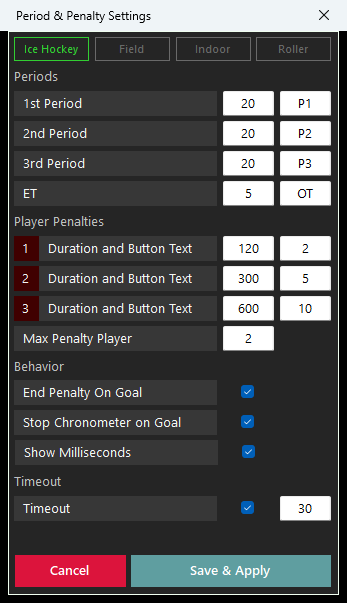
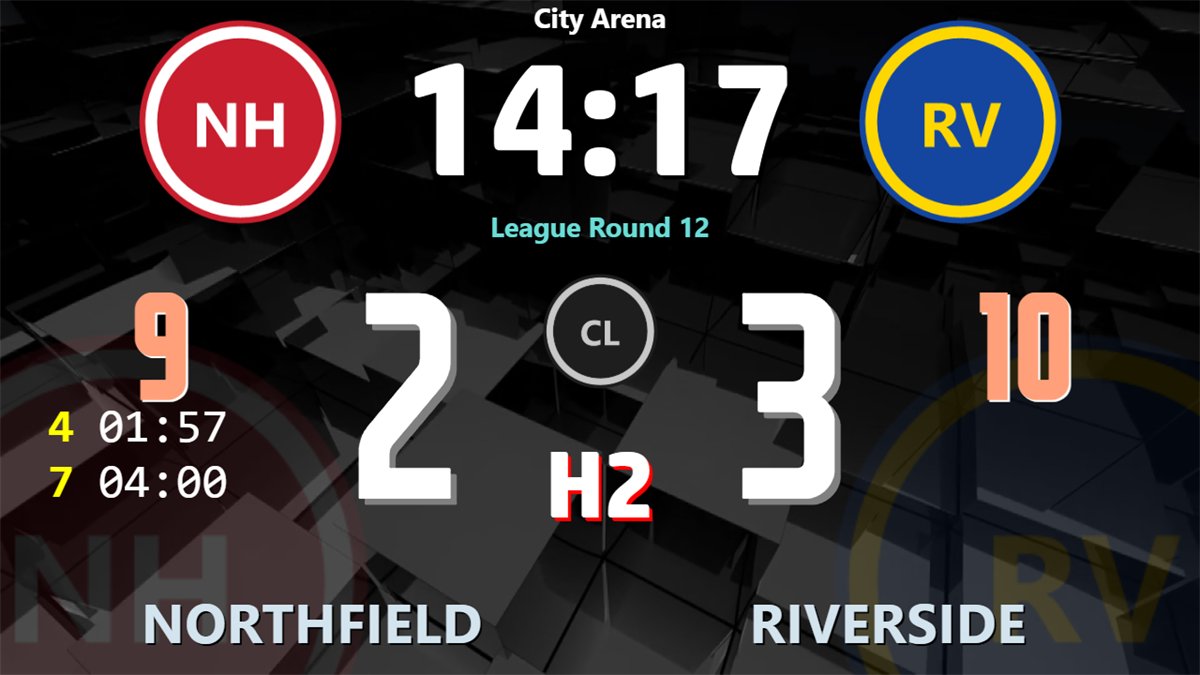
3 × 20 minutes and 5 minutes of overtime, clock with tenths, minor 2, major 5 and misconduct 10 minute penalties, two running penalties per team with the next one waiting, and power-play goals.
hockeyBoard7 ice, field, indoor and rink hockey, one licence
hockeyBoard7 shows the score, the period clock and every running penalty on your rink or pitch LED display, with the penalty rules of the sport you select: ice, field, indoor or rink hockey.
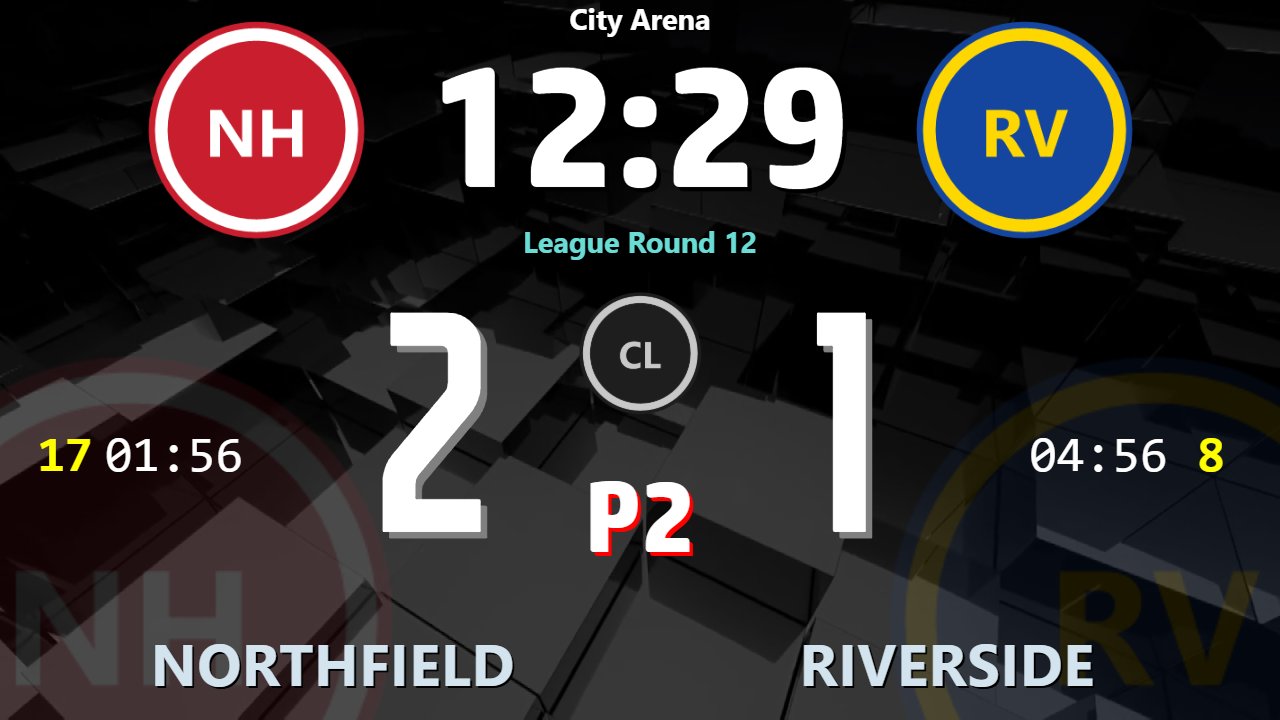
Ice, field, indoor and rink hockey each set their own periods, penalty buttons, penalty rules and extra controls on the panel.
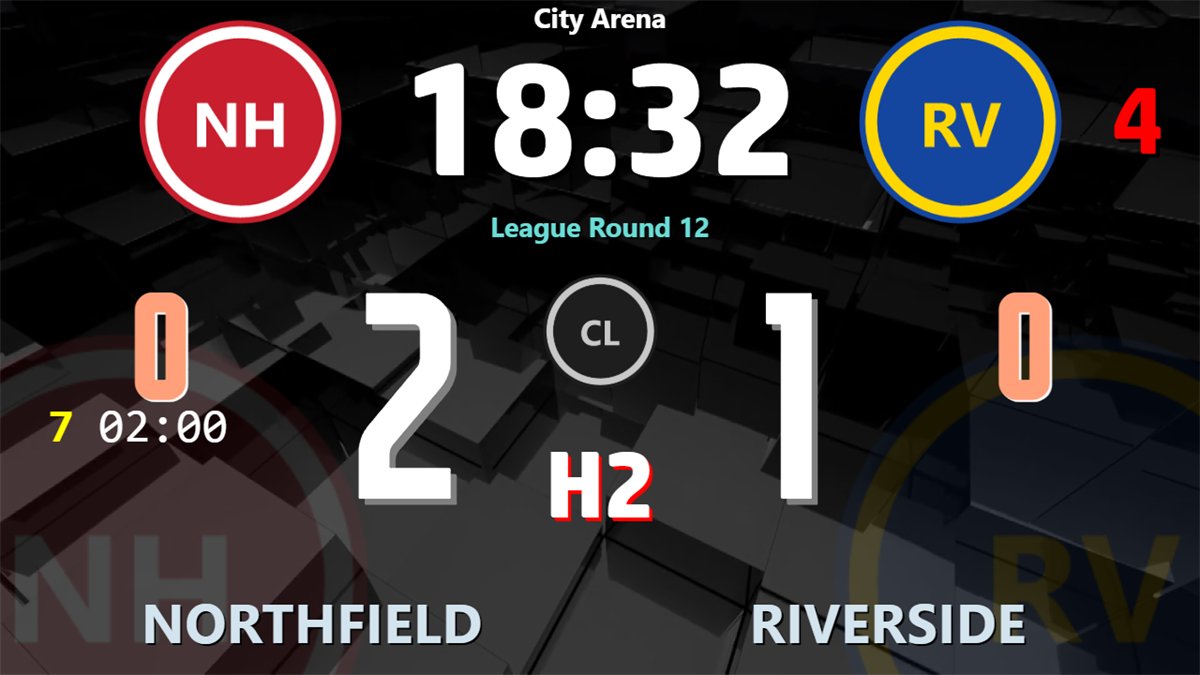
Minor, major and misconduct penalties, waiting penalties, and a power-play goal that ends the minor with the least time left (IIHF 16.2).
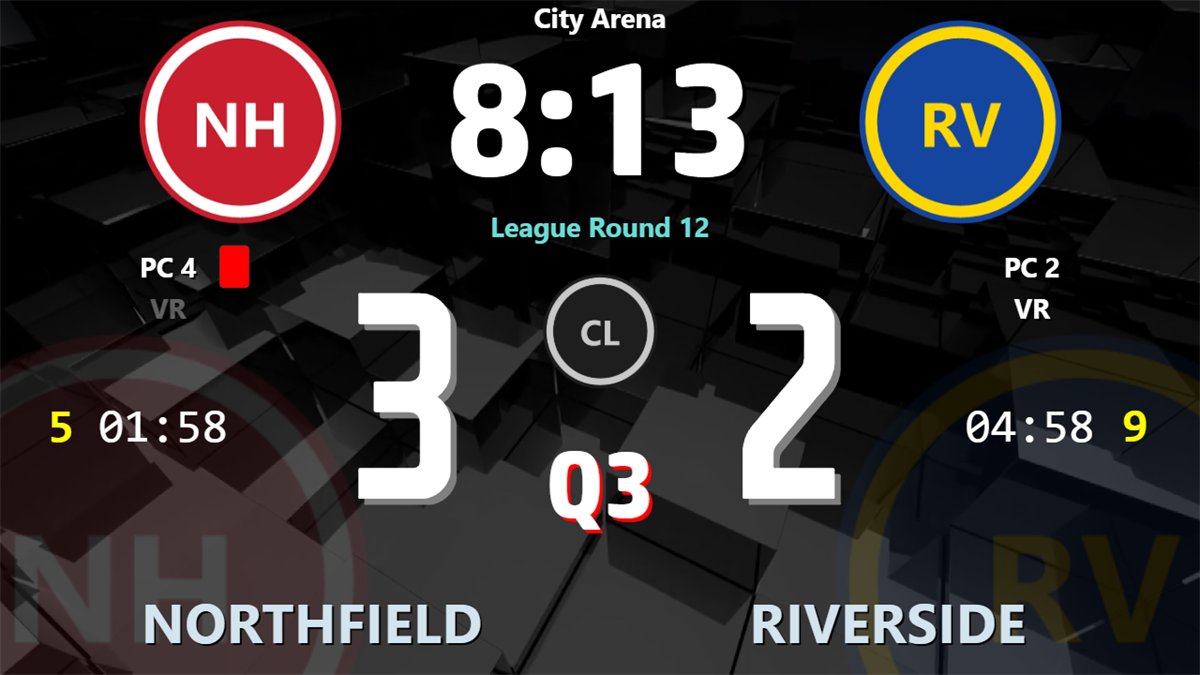
Green, yellow and red cards for field and indoor hockey, penalty corner counters and the field hockey video referral.
The 45-second attack clock, team fouls with direct free hit warnings and automatic card accumulation under World Skate rules.
Every attempt recorded as scored or missed, sudden death included. The board shows the last five attempts of each team and the score.
Clock, score, penalties and graphics from a phone or tablet browser at rink side. The panel follows the selected sport.
21 short lessons show how to run a match and set up the board. Hockey operators can watch only the part they need. Each video has on-screen captions and no narration.

Watch on YouTube
Choose the sport in Period & Penalty Settings. Every preset can be changed before you save it, so other hockey codes run on the same hockeyBoard7 licence with your own periods and penalty buttons.
3 × 20 minutes and 5 minutes of overtime, clock with tenths, minor 2, major 5 and misconduct 10 minute penalties, two running penalties per team with the next one waiting, and power-play goals.
Four quarters of 15 minutes, green card 2 minutes, yellow card 5 or 10 minutes and red cards, penalty corner counters, video referral and a shoot-out, following the FIH Rules of Hockey.
Four quarters of 10 minutes with the indoor card times: green 1 minute, yellow 2 minutes, red card. Penalty corners, 60-second timeouts and a shoot-out.
Rink hockey under World Skate rules: 2 × 25 minutes plus extra time, blue 2 and red 4 minute cards, one period of inferiority per team, team fouls, the 45-second attack clock and card accumulation.
Type two halves of 45 minutes, your period texts and the penalty durations you need in the Period & Penalty Settings. Penalty timers, waiting penalties and the shoot-out work as in the other modes.
Start from the ice hockey preset and set the period lengths and penalty buttons of your league. Inline hockey runs the same way.
Use the ice hockey mode with its penalty and power-play rules and set the period lengths of your para ice hockey competition.
A new match in one click. Going back to the first period asks once, then clears the penalties, team fouls, timeouts, red cards, penalty corners and video referrals. The team names stay.
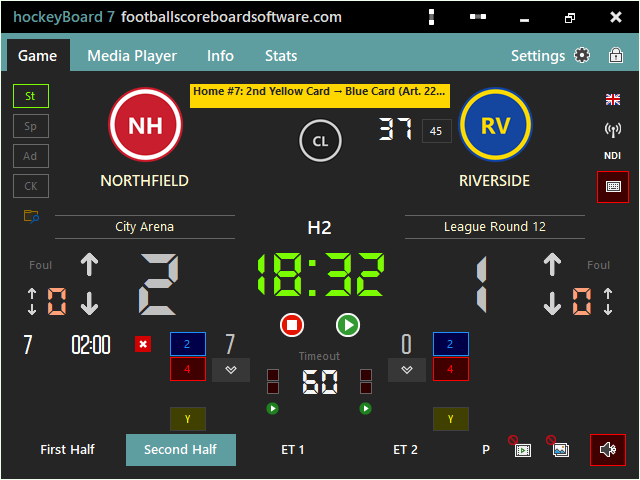
The Game tab adds the controls of the selected sport by itself: penalty corners and video referral in field hockey, team fouls and the attack clock in rink hockey.
Clock, period, scores, timeouts, penalty lists and the display mode sit on one page. The clock counts each period down and keeps the exact time over many pauses.
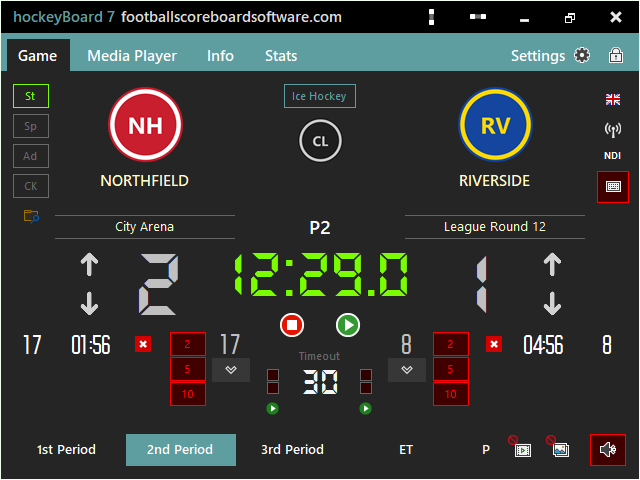
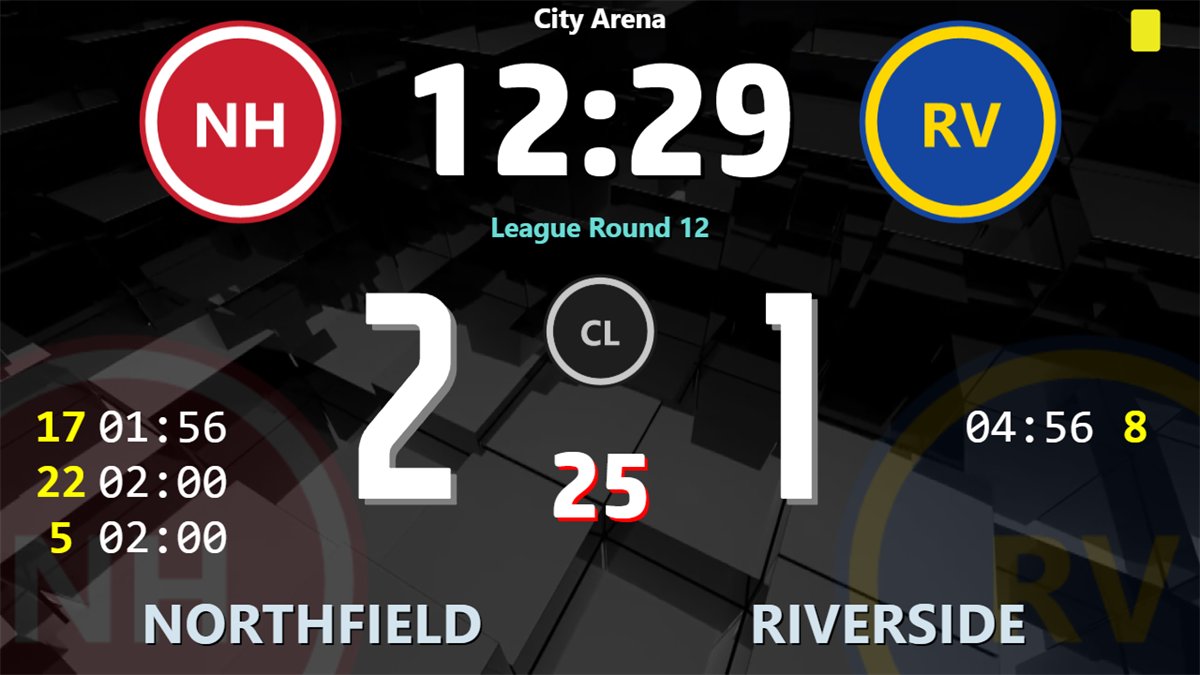
The type of a penalty comes from its duration. When the maximum of running penalties is reached, the next one waits with its full time and starts when a place is free.
Green and yellow card suspensions run with the clock and are never ended by a goal. The R button counts red cards, and the board shows a red card symbol for each.
One window sets the rules of the scoreboard. Click a sport to fill in its preset, then change any value before Save & Apply.
Rink hockey extras, the shoot-out, the sponsor strip and standings.
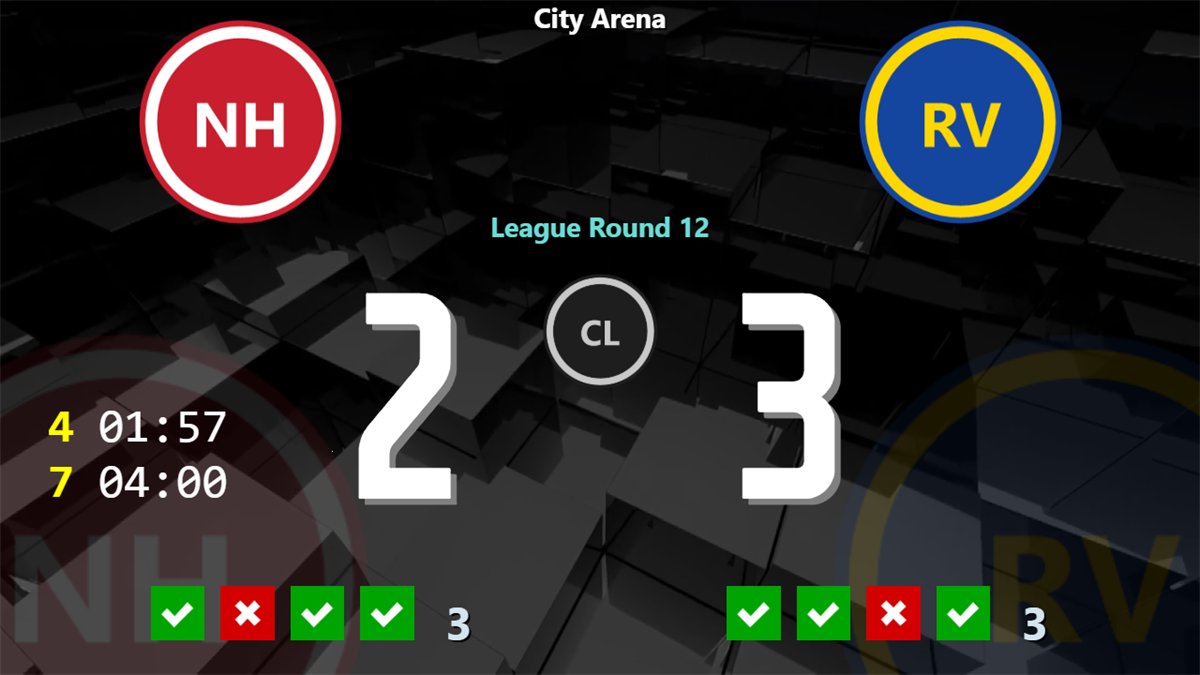
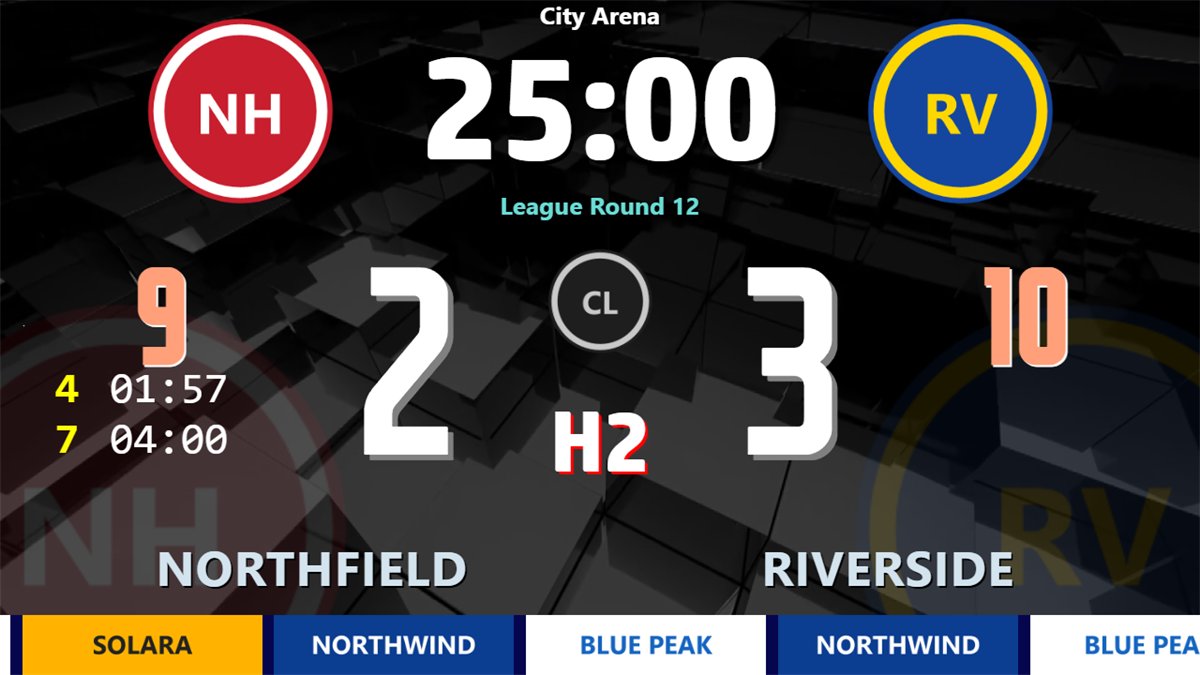
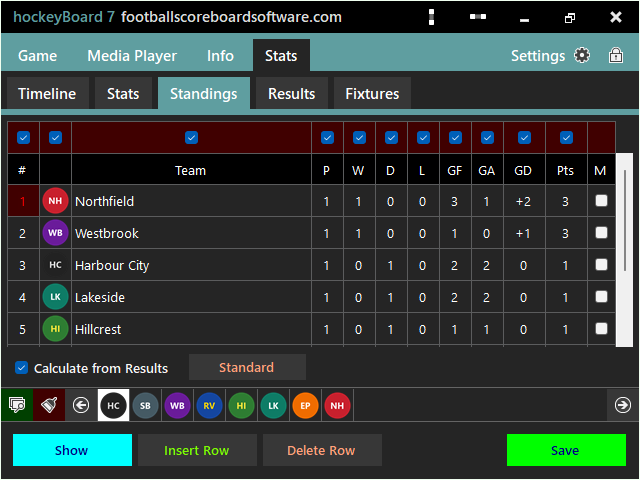
hockeyBoard7 includes a free web-based remote control: open it in any phone or tablet browser on the venue network, with nothing to install. A PIN gate locks access until the operator’s PIN is entered. Because the remote accepts several connections at once, the match can be run by more than one official at the same time: one on the clock and score, one on the penalties, one on the graphics, each on their own device.
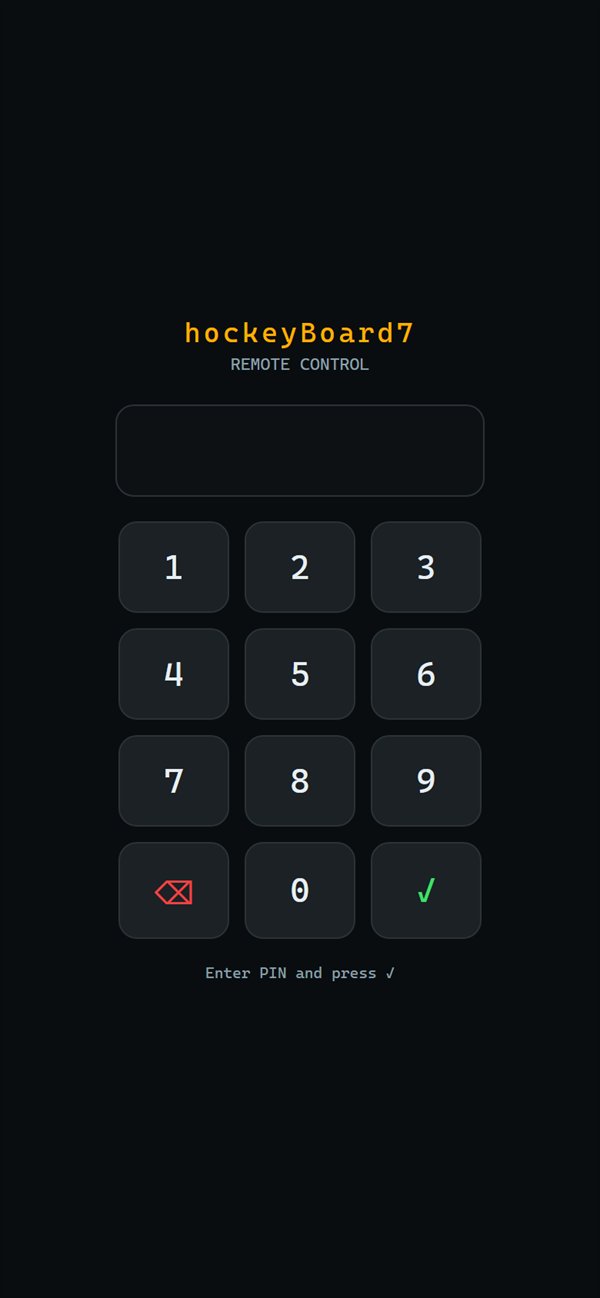
Five wrong PINs lock the device out for 60 seconds. The PIN is never stored on the phone.
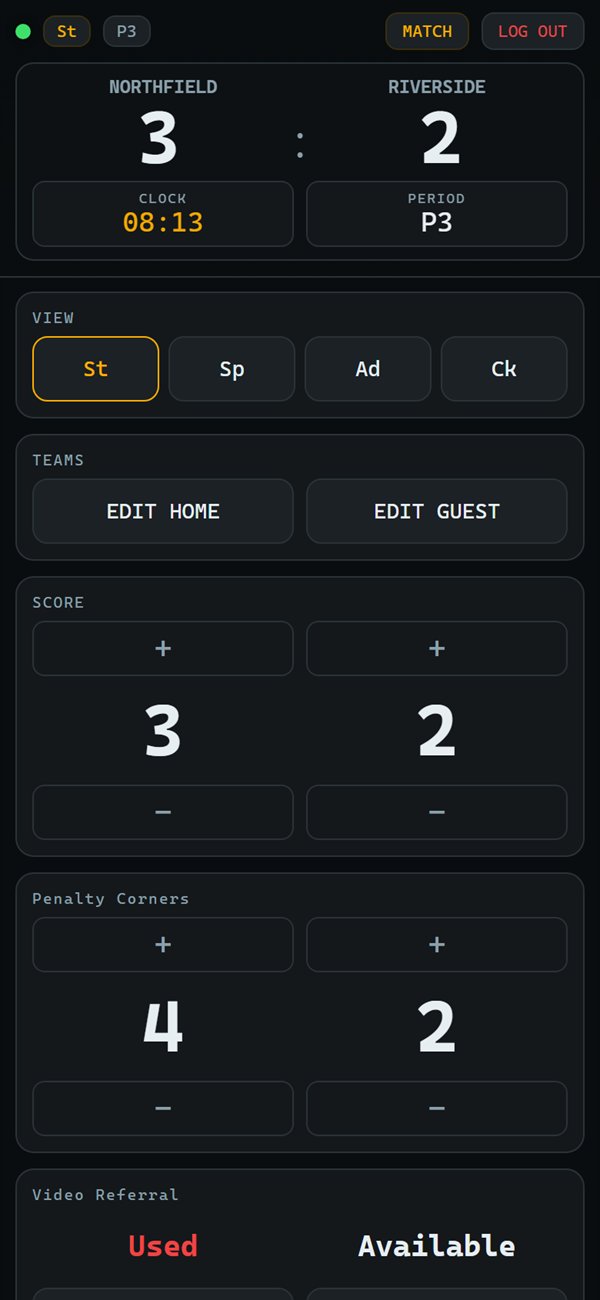
View, team names, score, and the counters of the sport, here penalty corners and video referral.
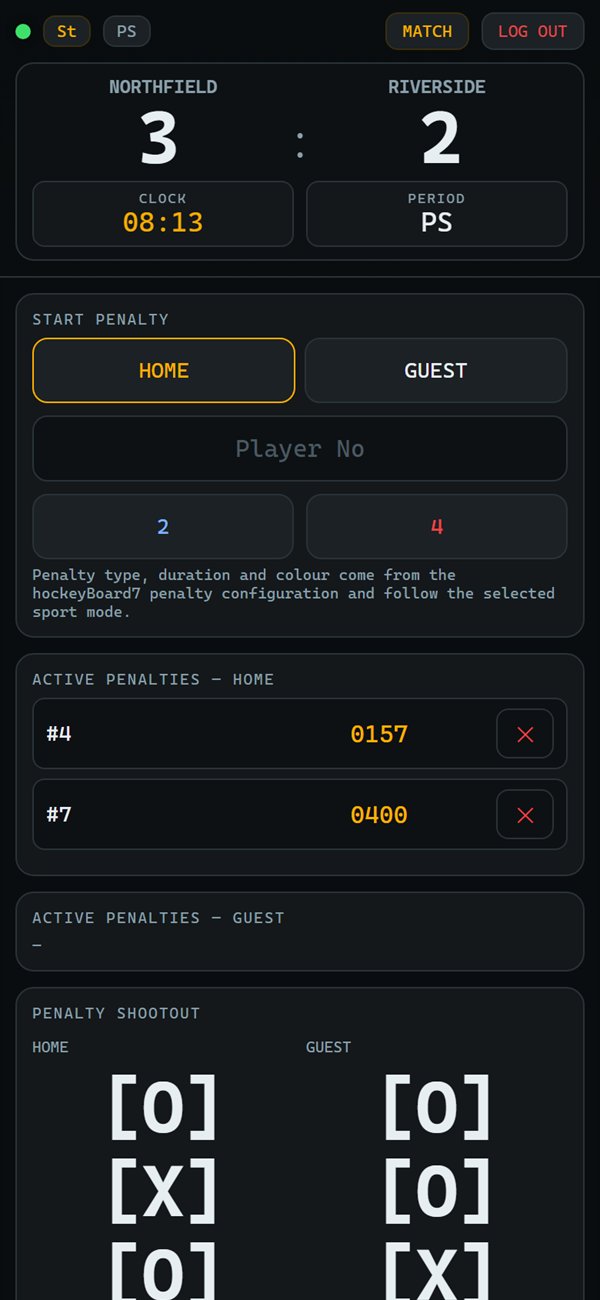
Start and cancel penalties with the buttons of the sport, and record shoot-out attempts.
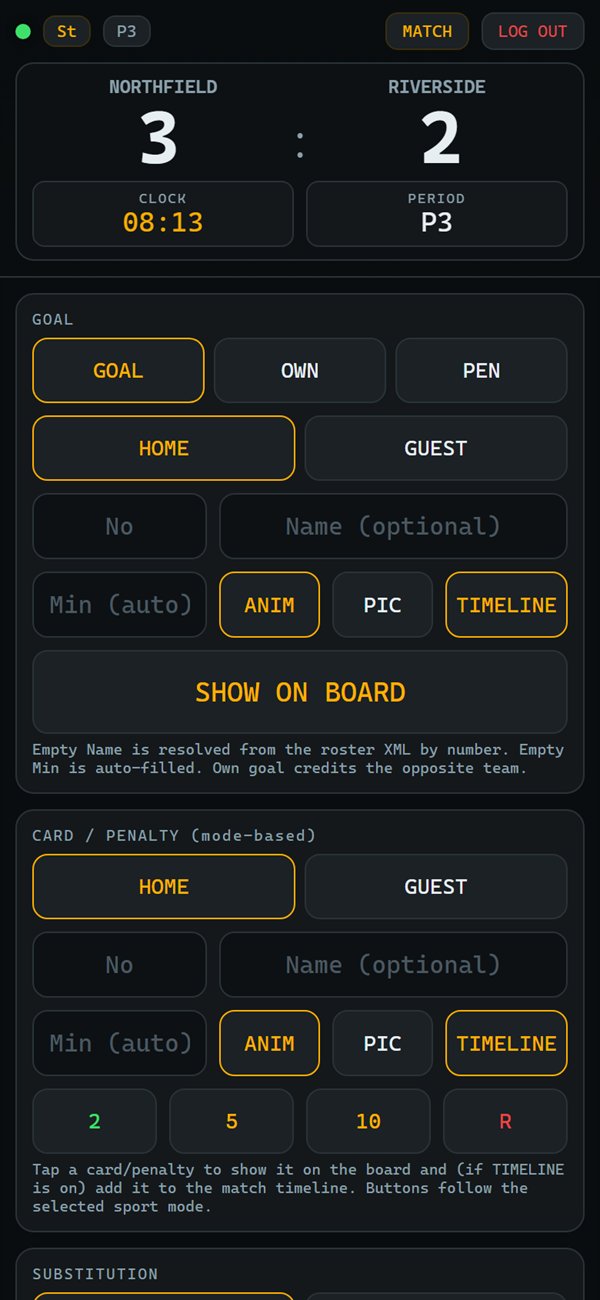
Goal, card and substitution graphics on the board, added to the match timeline.
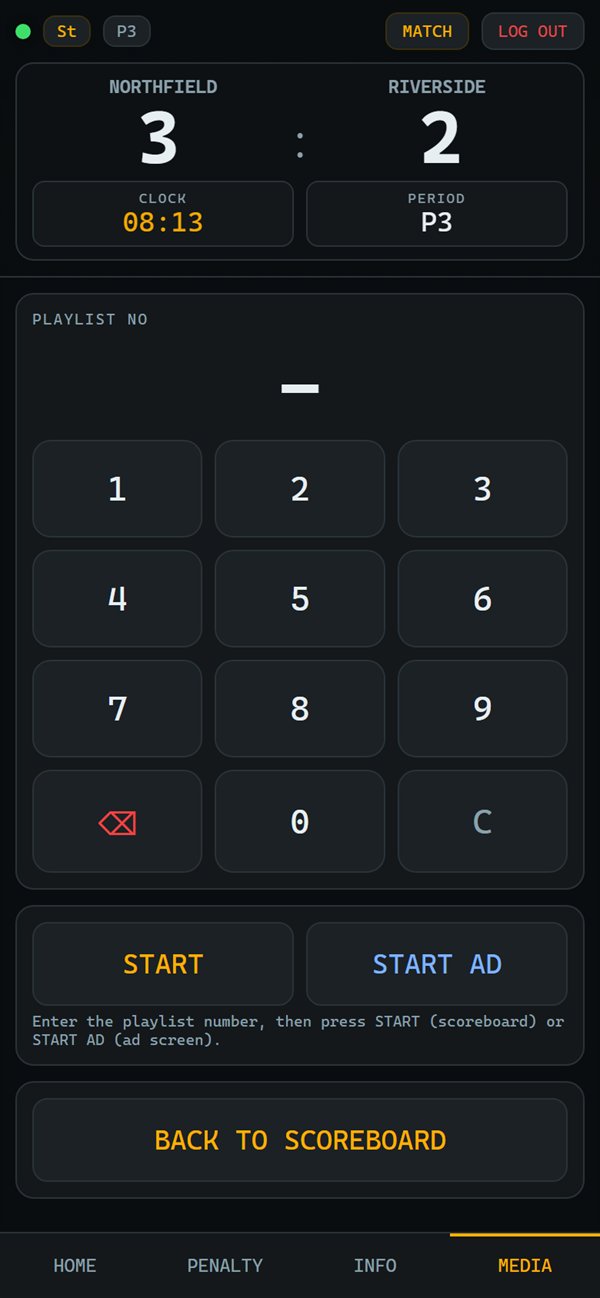
Start a playlist on the scoreboard or the ad screen, then go back to the scoreboard.
Built for rink side. The remote is a web page served by hockeyBoard7 itself on port 1907: no app store, no account, no internet connection required. It refreshes about twice a second, so every phone shows the changes made on the PC.
Full-featured demo with a small watermark: test all four sport modes on your own LED display.
hockeyBoard7 is scoreboard software for hockey. It runs on Windows 10 and 11 and shows the score, the match clock, the period, penalties and match graphics on an LED wall, a video screen or a projector, or as an NDI video source for vMix and OBS. It is sold as a lifetime licence.
hockeyBoard7 has four sport modes: Ice Hockey, Field Hockey, Indoor Hockey and Roller (rink) Hockey, each with its own periods and penalty rules. Bandy, ball / street hockey, inline hockey and para (sledge) ice hockey run on the same licence with your own period lengths and penalty buttons.
Yes. With End Penalty On Goal on, a goal ends a penalty of the other team only when that team is short-handed: the minor penalty with the least time left ends (IIHF Rule 16.2). Major penalties and misconducts never end on a goal.
Field and indoor hockey get green, yellow and red cards and penalty corner counters, and field hockey the video referral. Rink hockey gets blue and red cards with one period of inferiority per team, team fouls with direct free hit warnings, the 45-second attack clock and automatic card accumulation.
Yes. Type two halves of 45 minutes, your period texts and the penalty durations in the Period and Penalty Settings and save them. No extra licence or module is required.
Yes. Start from the ice hockey preset and change the period lengths and penalty buttons to the rules of your league. No extra licence or module is required.
Yes. Use the ice hockey mode, which keeps the penalty and power-play rules, and set the period lengths of your competition. No extra licence or module is required.
Yes. hockeyBoard7 includes a free web-based remote control. Open it in any phone or tablet browser on the venue network, with nothing to install. Access is protected by a PIN you set inside the software, and several devices can connect at once so different officials can each run one task.
hockeyBoard7 costs $500 for a licence with output up to 1366 px wide and $1,000 up to 3840 px wide (4K). Every licence is a lifetime licence with two years of free updates, a PC key and a USB dongle included. Several boards for one venue cost less.
Yes. The demo has the full feature set with a small watermark on the output, so you can test hockeyBoard7 on your own LED display before buying. Download it from the Downloads page.
One payment, two years of free updates, PC licence key and USB dongle both included. All four sport modes, every display mode, the remote control, NDI and the HTTP API are in every licence.
hockeyBoard7 covers the hockey family. For a multi-sport venue, iceBoard7 runs ice hockey and para ice hockey with ringette, broomball and curling, fieldBoard7 runs field hockey with football, rugby and more, and indoorBoard7 runs indoor hockey with the hall sports. Each multisport product comes in Lite (from $500) and Pro (from $1,000); Pro also reads scoreboard consoles and timing systems. All multisport products.
Every sport family has its own board. Several boards for one venue cost less.
Run the perimeter LED panels of any sport from one panel.
Modern, web-based LED perimeter player and playlist manager for the advertising panels around football and every other sport. Uploaded media auto-fits the panel; goals, scores, time-outs, cards and other quick actions cut in with a single click and return. A browser is enough — easy to install, even easier to run.
Tell us the size of your LED display and which hockey you play, and we will tell you what you need.