Springboard and Platform
World Aquatics events on the 1 m and 3 m springboard and the 10 m platform, with a Preliminary, Semi-Final and Final that start from zero.
divingBoard7 springboard, platform and synchro, one licence
Run a diving competition from one Windows PC. The judges give their awards on their phones or you type them at the desk. divingBoard7 cancels the awards, calculates the points with the degree of difficulty, keeps the standings and shows it all on your LED display.
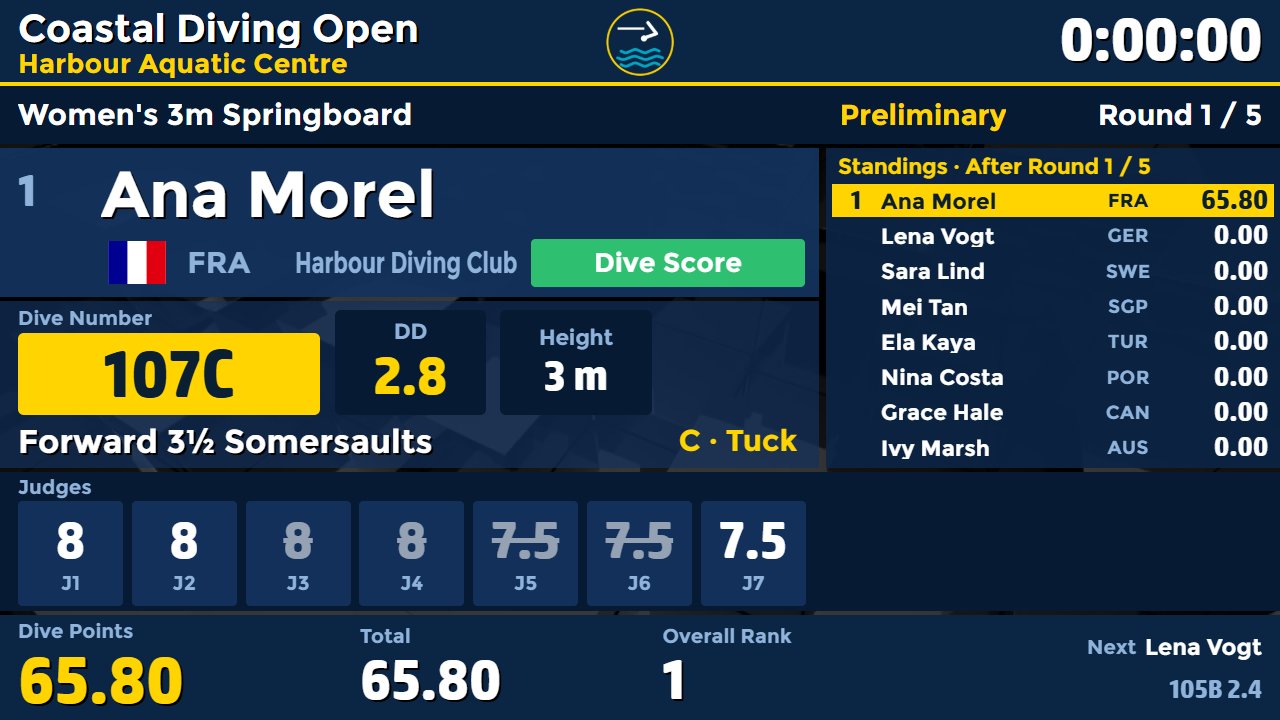
Each seat has its own PIN and QR code. The judges award on the phone and the desk fills up at once. Nothing to install.
Cancelled awards, the degree of difficulty, Failed Dive, Re-Start, Max 2 and Max 4½, and the average for a missing judge.
Dive numbers and DD values for 1, 3, 5, 7.5 and 10 m, from the World Aquatics rules in force from February 2026. Editable.
It names the next step of the rules and frames the button that does it, from the one-minute warning to lots between equal totals.
Every dive goes on the board with Publish, and corrections are one click away. Auto Publish is an option.
Printable results in World Aquatics, US high school (NFHS) and US college (NCAA) formats, as PDF or HTML.
You choose the event type when you start a competition. Every event type comes with ready rounds, limits and stages, and you can change every value and make your own.
World Aquatics events on the 1 m and 3 m springboard and the 10 m platform, with a Preliminary, Semi-Final and Final that start from zero.
Synchro pairs with panels of 9 or 11 judges, execution and synchronisation seats, and both names on the board.
Team events with team scores on the same desk, boards and reports.
World Aquatics groups A, B and C and Junior Synchronised, with voluntary dives and their DD limits.
NFHS 6-dive dual meets and 11-dive championships, NCAA dual meets, championships and platform, stages that keep the total, team points and score sheets.
Build your own event type. High diving heights and their DD values are added by you in the Dive Table editor; they are not in the factory table.
Check the US presets. The NFHS and NCAA presets come from score sheets and public summaries, and state and conference rules differ. Check them against the current rule book before you use them.
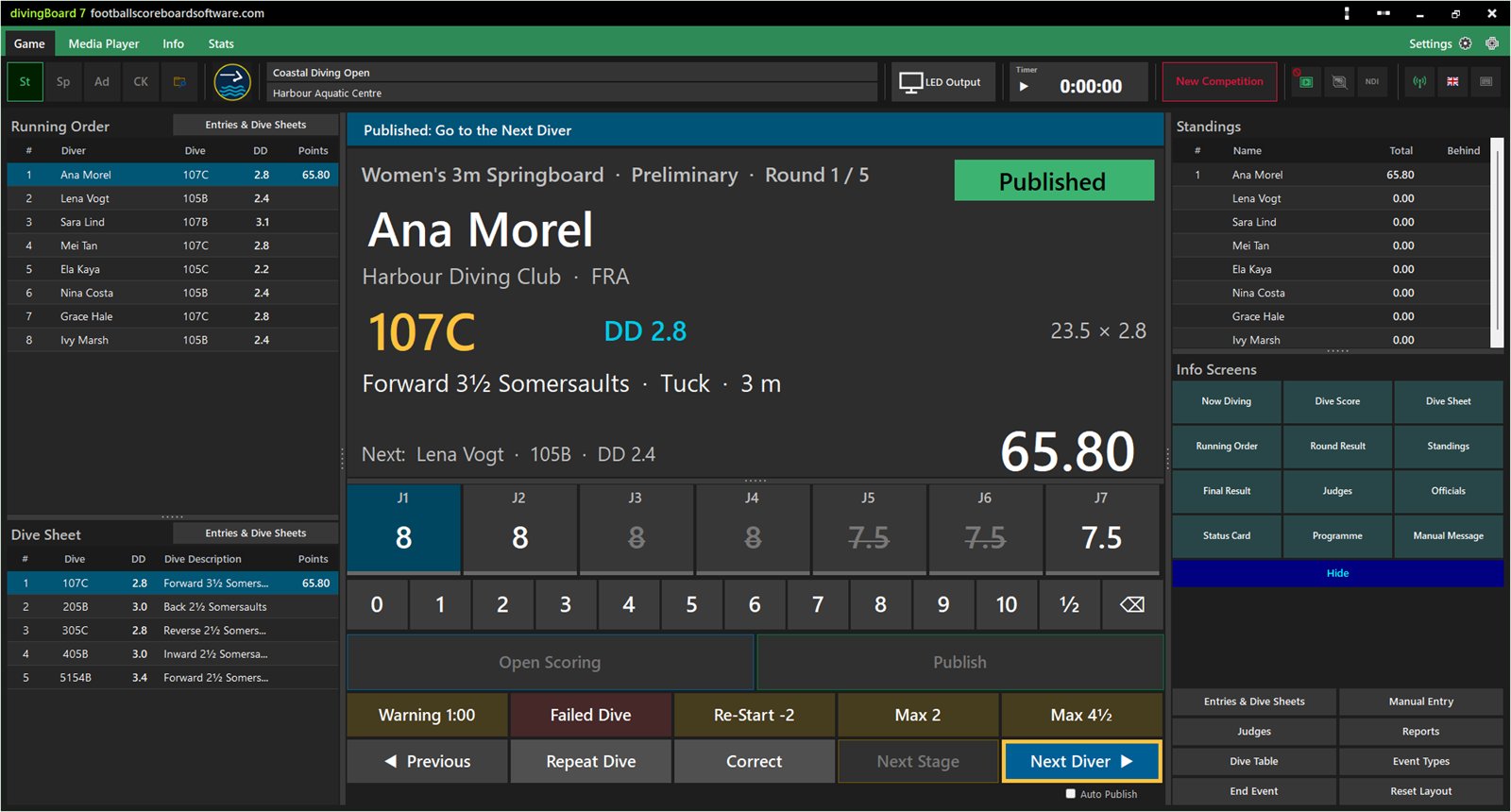
The desk fills the whole window: running order, dive sheet, judge tiles and award pad, the guide bar, standings and info screens. The competition is saved after every action, and past competitions stay in an archive.
The judge tiles fill as the phones send their awards, or you type them on the award pad. The desk shows the sum, the DD and the points. Publish puts the dive on the board, and Next Diver moves on.
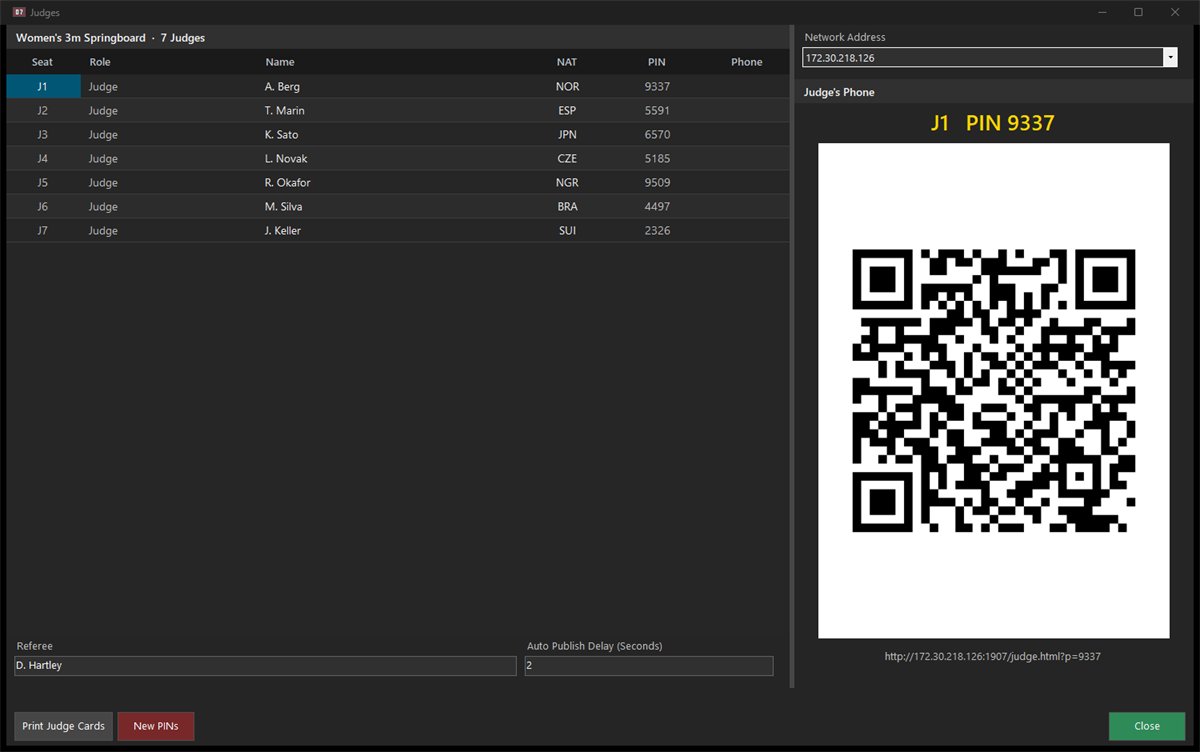
A panel has 3, 5, 7, 9 or 11 judges. Each seat has its own random four-digit PIN, and a phone logged in with it gives the award of that seat and no other. Print the judge cards once and use them again.
Each event type sets its rounds, stages, limits and panel. In World Aquatics stages the top divers go on in reverse order and start from zero; in 11-dive meets the stages keep the total.

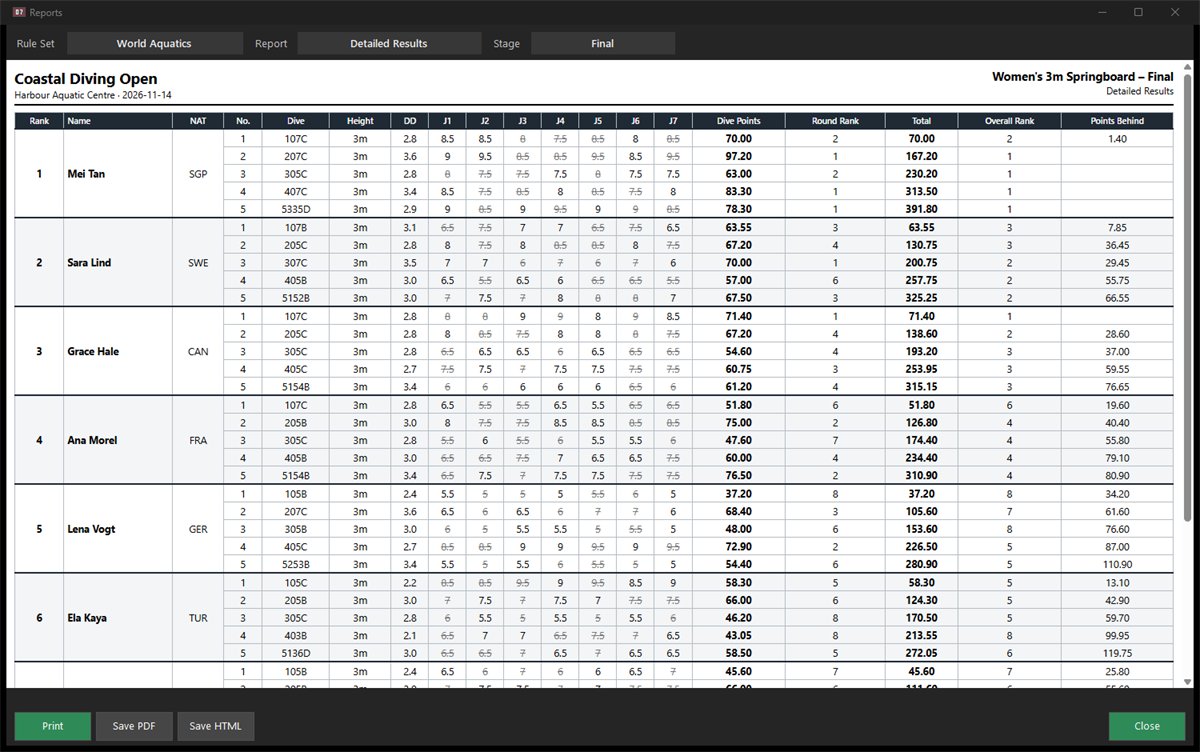
Print the results or save them as PDF or HTML. World Aquatics detailed results and summary, NFHS score sheets, US meet results and the start list.
Twelve info screens take their data straight from the competition: Now Diving, Dive Score, Dive Sheet, Running Order, Round Result, Standings, Final Result, Judges, Officials, Status Card, Programme and your own message. In CK they appear as lower thirds.
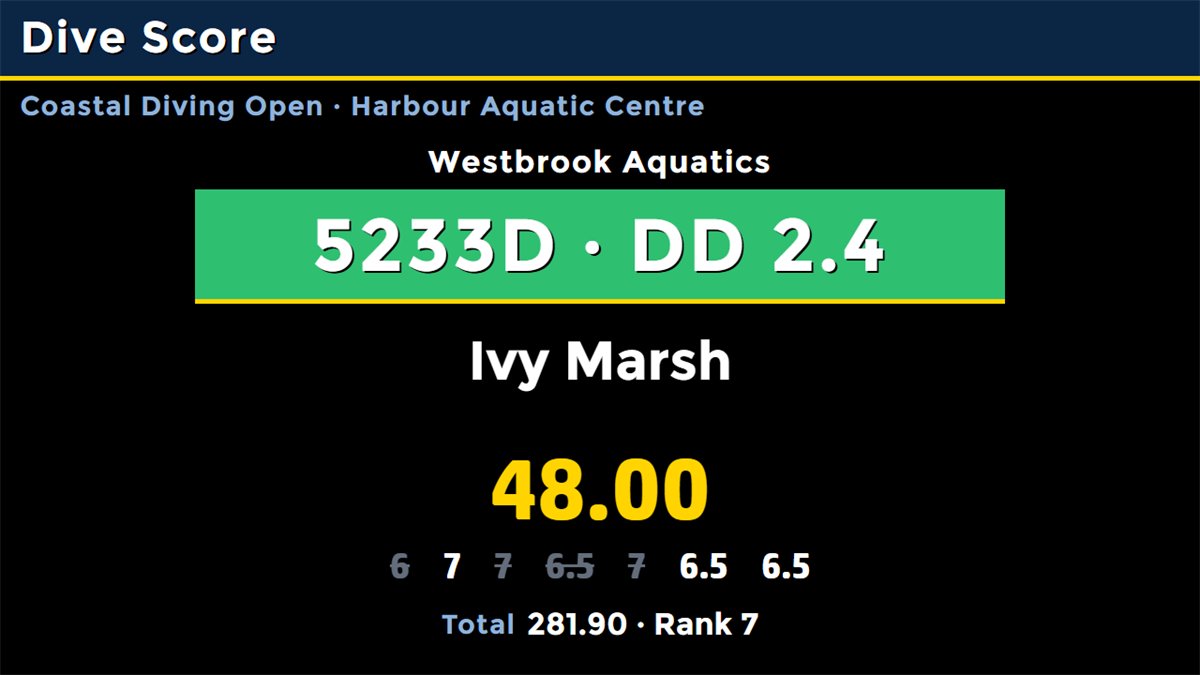
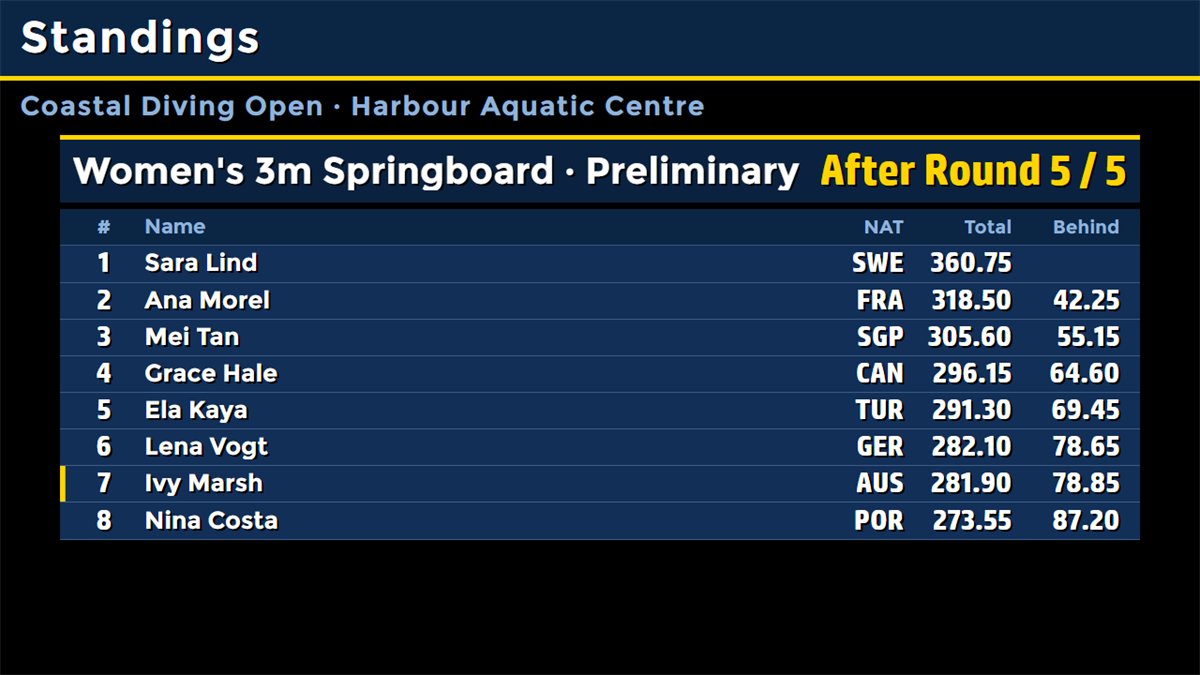
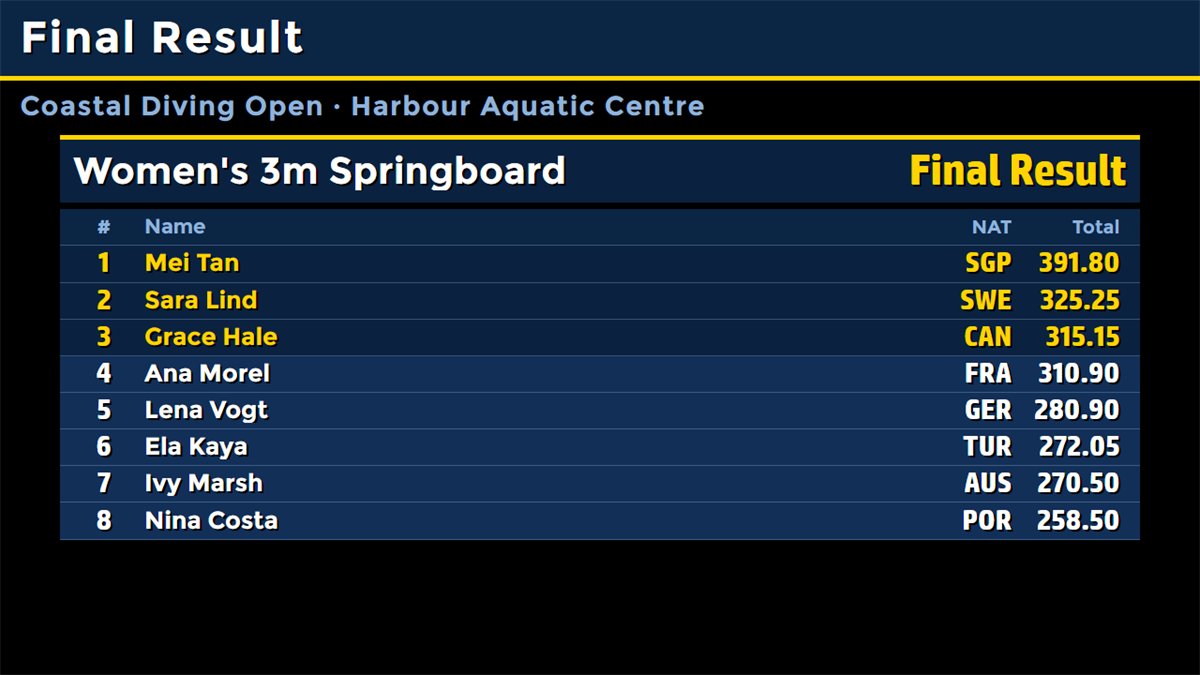
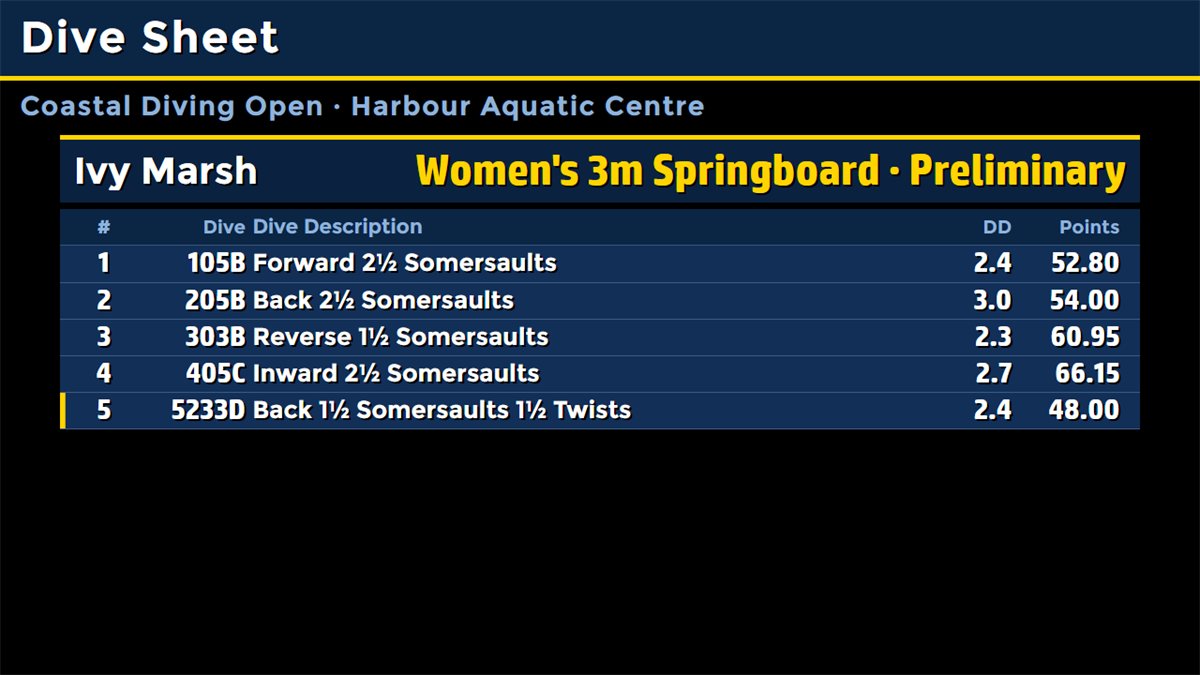
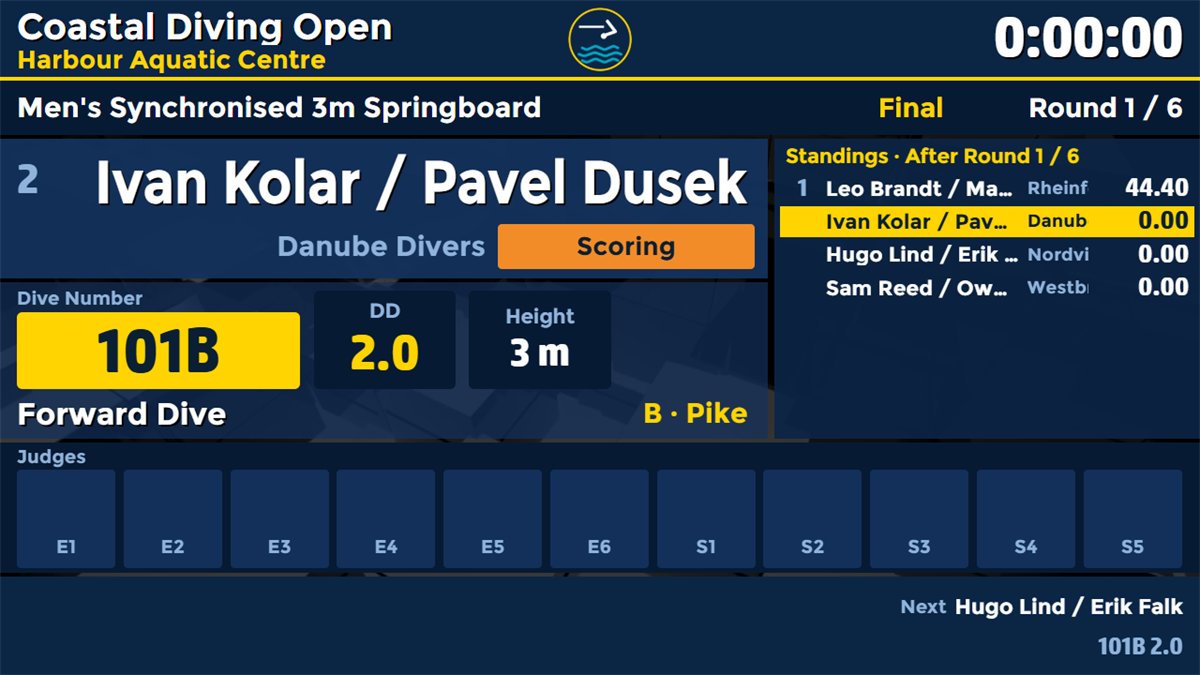
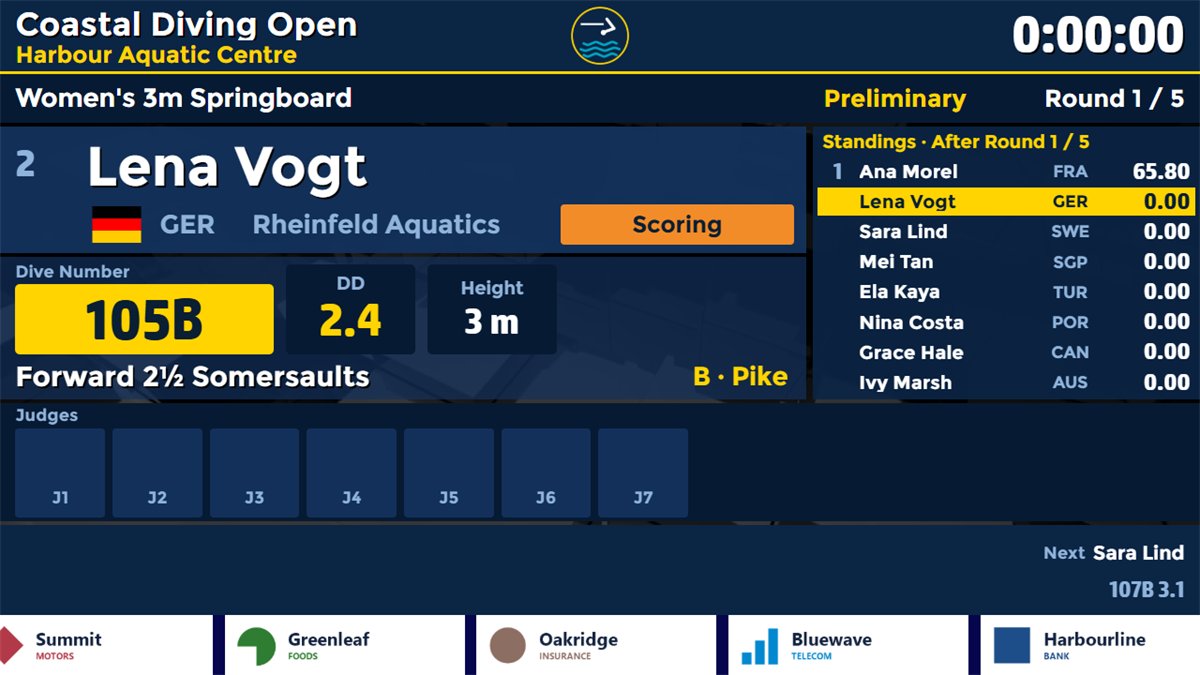
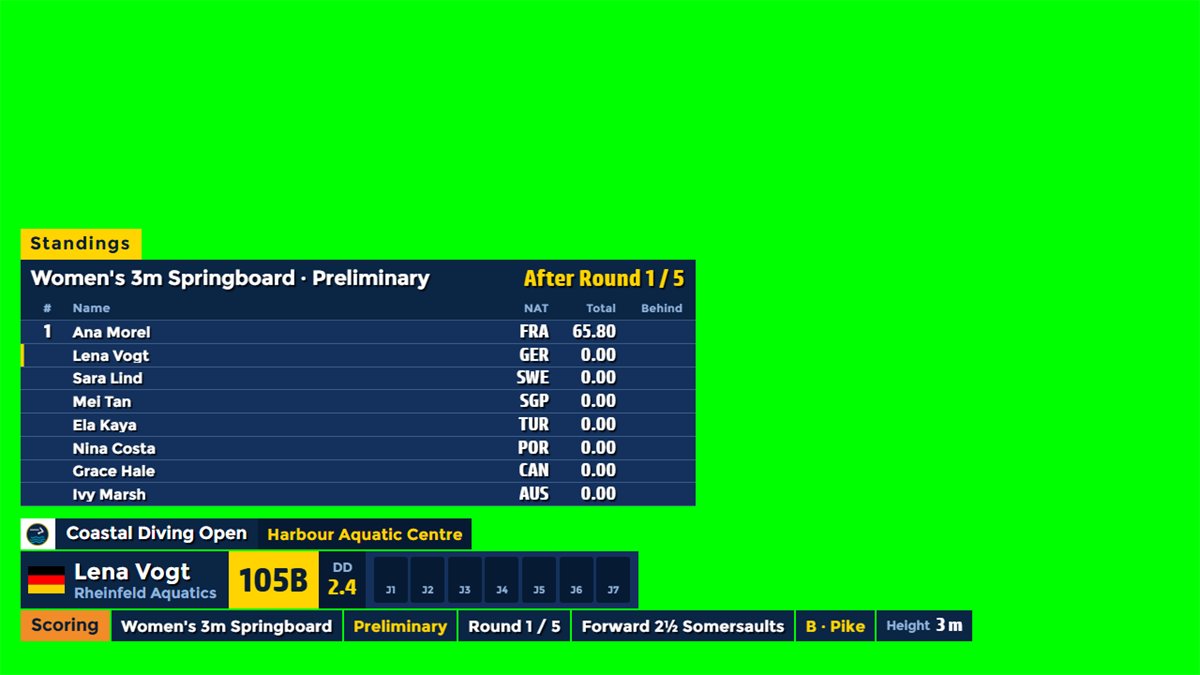
The judge page opens in any phone or tablet browser on the venue network, with nothing to install. The operator also has a remote control page with Score, Info, Setup and Media tabs, so the desk can move around the pool.
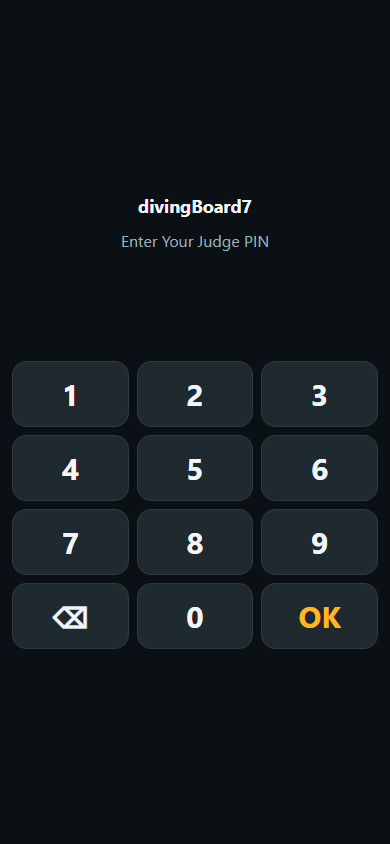
Scan the QR code on the judge card or type the PIN of your seat.
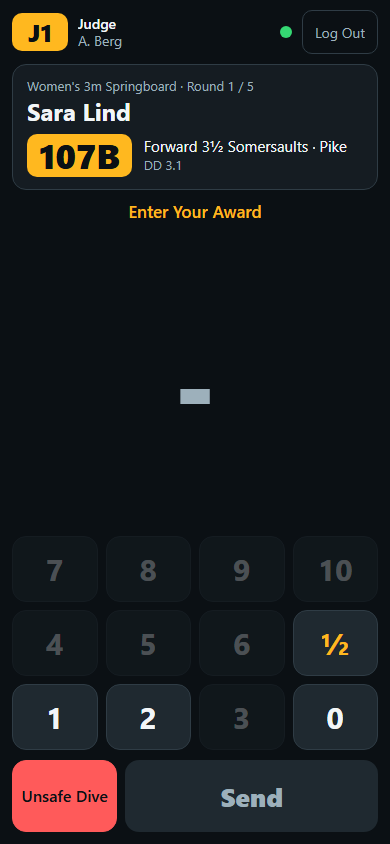
The diver and the dive at the top, the award from 0 to 10 in half points, Send.
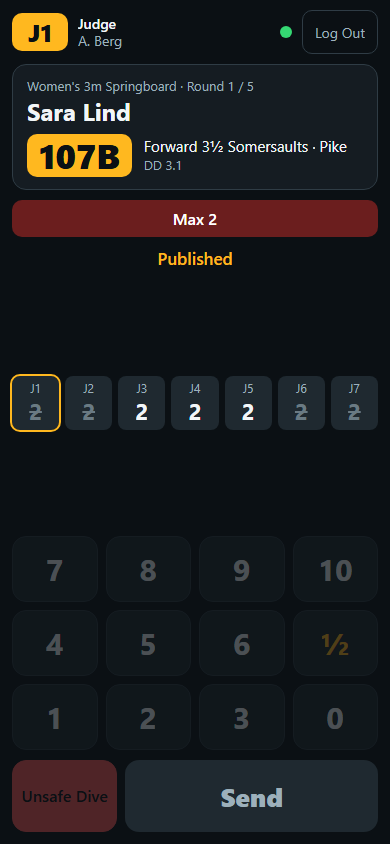
The published awards of the panel, also with a penalty such as Max 2.
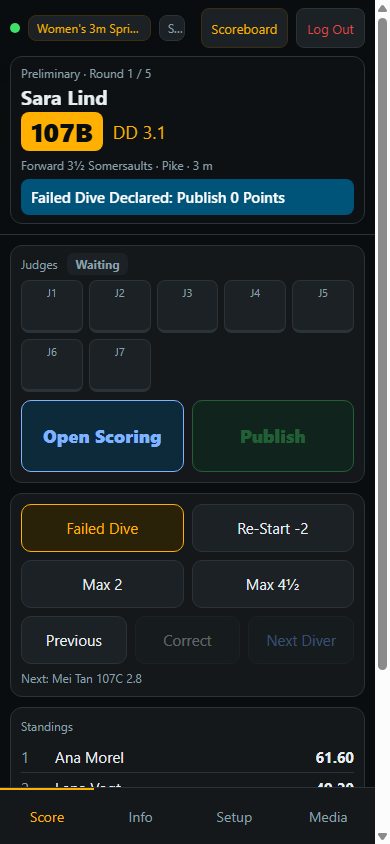
Open Scoring, Publish and the penalties from the phone.
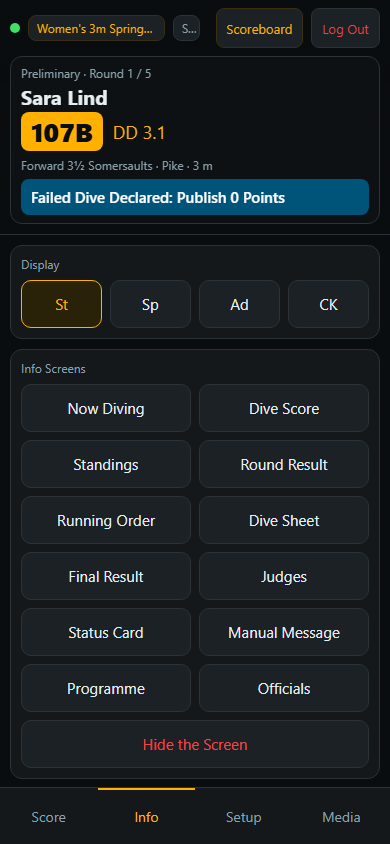
Switch St, Sp, Ad and CK and put any info screen on air.
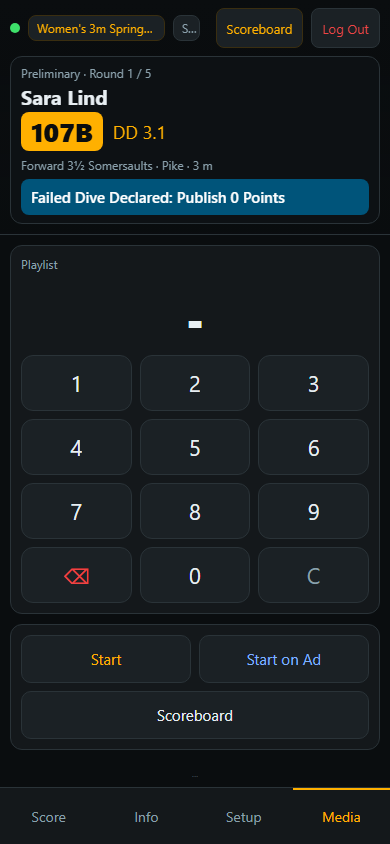
Start a playlist on the board by its number.
Served by the scoreboard itself. The pages are served by divingBoard7 on port 1907: no app store, no account and no internet connection needed. An HTTP API covers the flow of a dive, the board and the info screens, and ten diving actions work on the numeric keypad through global keyboard shortcuts.
Full-featured demo with a fictional competition. The clock and the diver's name read DEMO for one second in every ten, and the info screens carry a DEMO label.
divingBoard7 is diving scoreboard and competition graphics software for Windows 10 and 11. You run the competition from a desk on the operator PC and the program shows the board on a second display, a projector, an LED wall or as an NDI stream. It is sold as a lifetime licence.
Each judge opens the judge page on a phone, with a PIN and a QR code for the seat, and sends the award. No app is needed. The judges can also show their awards and the operator types them into the tiles on the desk, and you can mix both ways.
World Aquatics springboard 1 m and 3 m, platform 10 m, synchronised and the Mixed Team Event, World Aquatics age groups A, B and C and Junior Synchronised, US high school (NFHS) and US college (NCAA) formats, and your own custom event types.
The dive numbers and DD values ship ready for 1, 3, 5, 7.5 and 10 m and stay editable. They follow the World Aquatics tables in force from February 2026, and the program holds the DD formula as well. For high diving you add the heights and values yourself.
Synchro events have panels of 9 or 11 judges with execution and synchronisation seats. The program cancels the highest and lowest of each group, works out the sum and applies the degree of difficulty, and the board shows both divers.
The desk has Failed Dive, Re-Start with two points off, Max 2 and Max 4½. A correction is one click away, and Repeat Dive keeps the awards of the first attempt for an appeal. A missing judge is replaced by the rounded average.
Yes. The Chroma Key mode draws a compact scorebug and lower thirds on a key colour for a vision mixer, and every info screen is also a lower third. The NDI output sends the board as the stream DV7_NDI to vMix, OBS or any NDI receiver.
divingBoard7 prints detailed and summary results in World Aquatics format, NFHS score sheets, US meet results and start lists, as paper, PDF or HTML.
divingBoard7 costs $500 USD for a licence with output up to 1366 px wide, $1,000 up to 1920 px wide and $1,500 up to 3840 px wide (4K). Every licence is a lifetime licence with two years of free updates, a PC key and a USB dongle included. Buying several boards for one venue reduces the price.
Yes. Everything works in the demo. The clock and the diver's name read DEMO for one second in every ten, and the info screens carry a DEMO label. Download it from this page or from the Downloads page.
One-time payment from $500, two years of free updates, PC licence key and USB dongle both included. The judge phones, remote control, NDI output, HTTP API and every display mode are part of every licence.
Each scoreBoard7 scoreboard covers one sport family. Buying several boards for one venue reduces the price significantly.
Run the perimeter LED panels of any sport from one panel.
Modern, web-based LED perimeter player and playlist manager for the advertising panels around football and every other sport. Uploaded media auto-fits the panel; goals, scores, time-outs, cards and other quick actions cut in with a single click and return. A browser is enough — easy to install, even easier to run.
Download the divingBoard7 demo, run the sample competition and see the board on your own screen. Questions about event types, phones, LED sizes or broadcast set-ups are welcome.