Timed Finals
Each swimmer swims once and the times of all heats decide the places. Relays and small club meets usually run this way.
swimBoard7 heats, finals and relays, one licence
Run a swimming meet from one Windows PC. swimBoard7 holds the program, puts every race on your LED display, collects the hand times from the timekeepers' phones, works out the official times and prints the results.
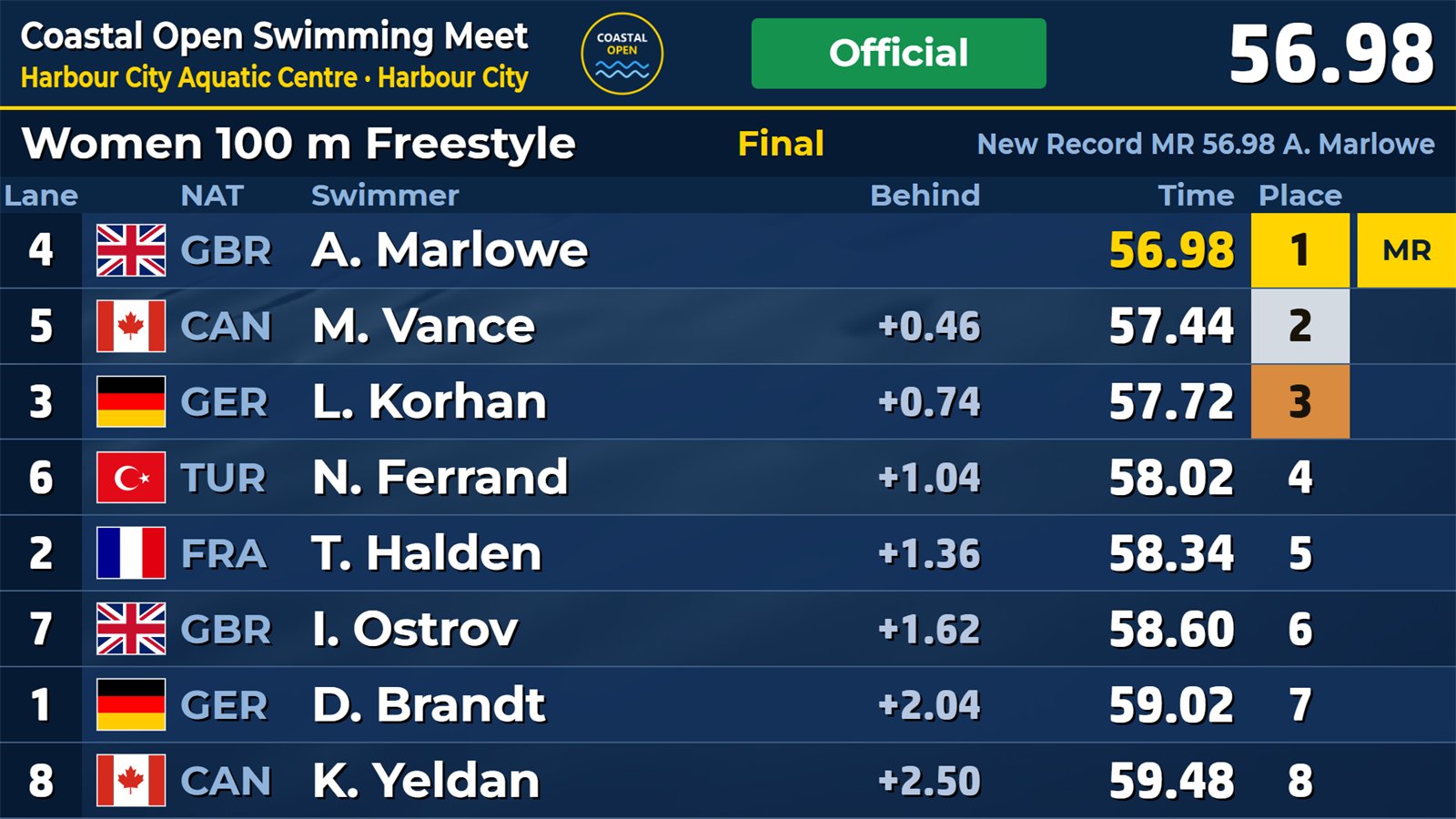
Up to three timekeepers per lane press on their phones. The time is taken on the phone at the touch, so a slow network changes nothing.
The official time of each lane follows from up to three watches: the middle watch counts, and two watches give the average.
The NEXT line always says what the rules ask for now, and its button does it: call, start, decide a report, approve, seed.
Heats, semifinals and finals seeded by World Aquatics rule SW 3, with a swim-off on a tied line and reserves for a withdrawal.
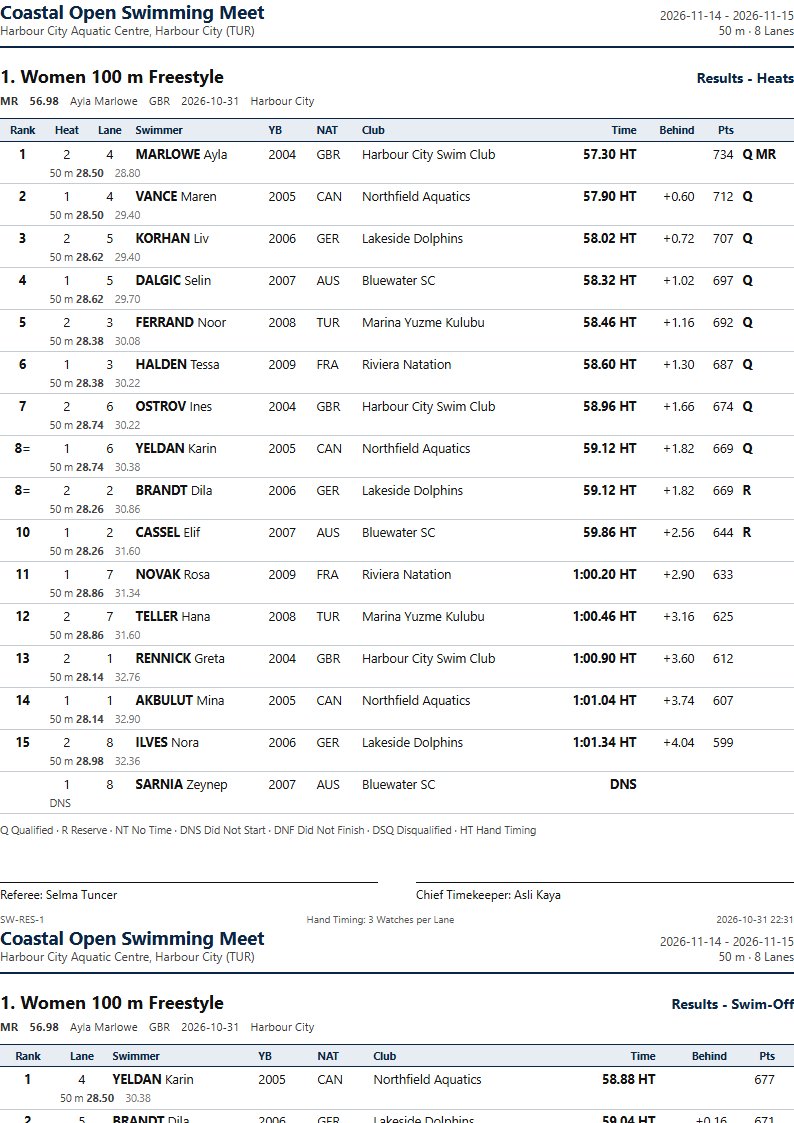
Start lists, results, summary, medallists, team scores, disqualifications, new records and a results book, as PDF or on paper.
Bring the program in from a Lenex file or an Excel or CSV list, and send the results back as a Lenex file.
Sessions, events, heats, lanes, swimmers, records and officials live in one meet file. Pool, number of lanes, watches per lane and split distance are set once for the meet.
Each swimmer swims once and the times of all heats decide the places. Relays and small club meets usually run this way.
Set the round, the places through and the next round. The program seeds the next round by SW 3: the fastest in the centre lane, circle seeding in preliminaries up to 400 m.
Teams in the lanes, relay swimmers declared lane by lane, many splits on the big button of the timekeeper, take-over faults as reports and double team points.
A 50 m (LCM) or 25 m (SCM) pool, with 6, 8 or 10 lanes numbered from 0 or from 1. The course selects the points table and the records.
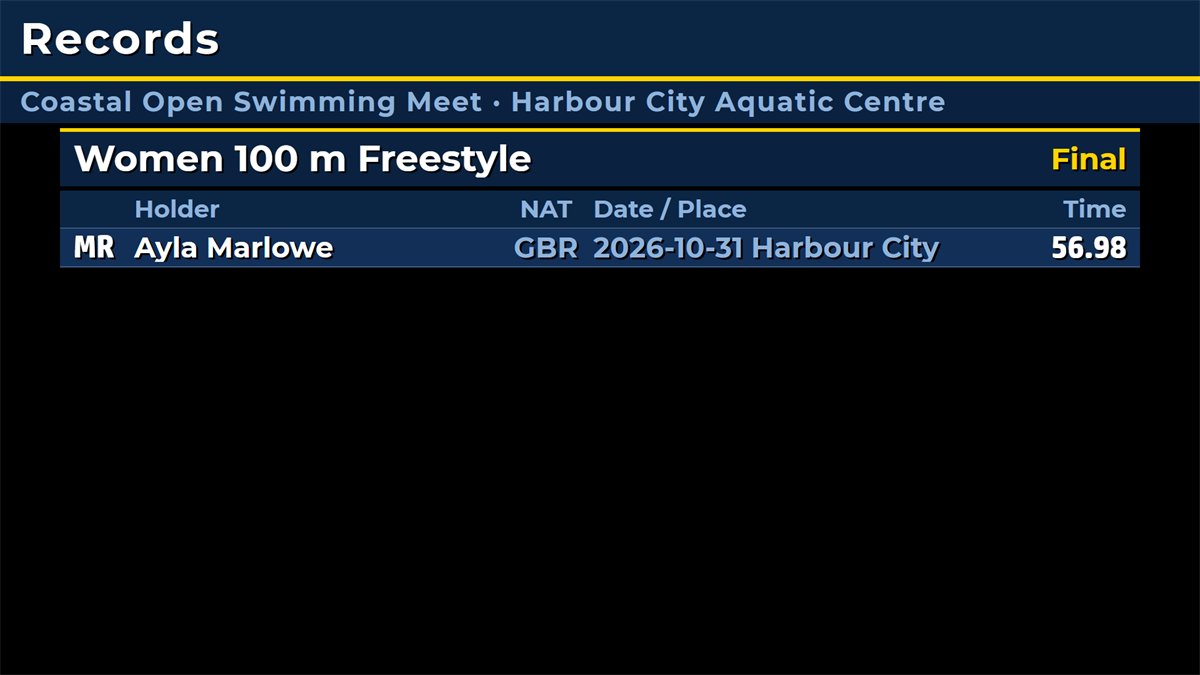
Points for every approved swim, records compared with the best swim of the meet so far, and record tags such as MR on the board and in the results.
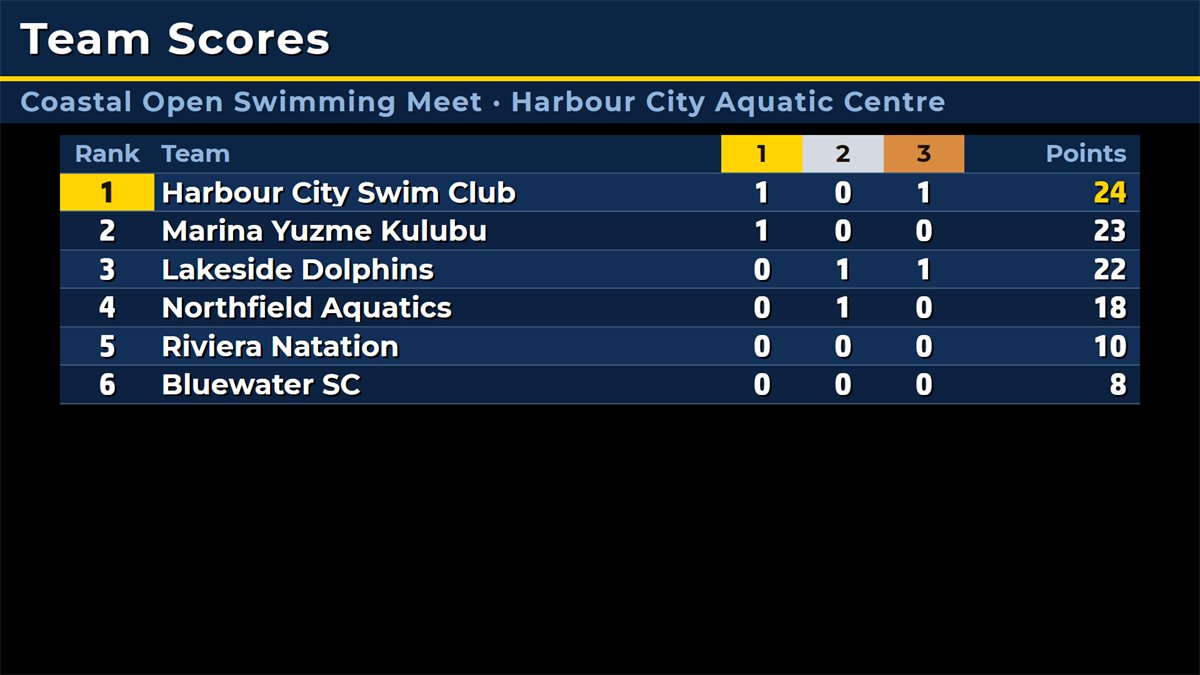
Points per place, tied places shared, relay points doubled, a medal table and the medallists as a report.
What swimBoard7 does not do. It connects to no touchpads, starting blocks or reaction-time equipment. All times are hand times from phones or stopwatches, marked HT in the reports, so a world record set this way cannot be ratified. The reports follow the World Aquatics layout but are not an approval by any federation.
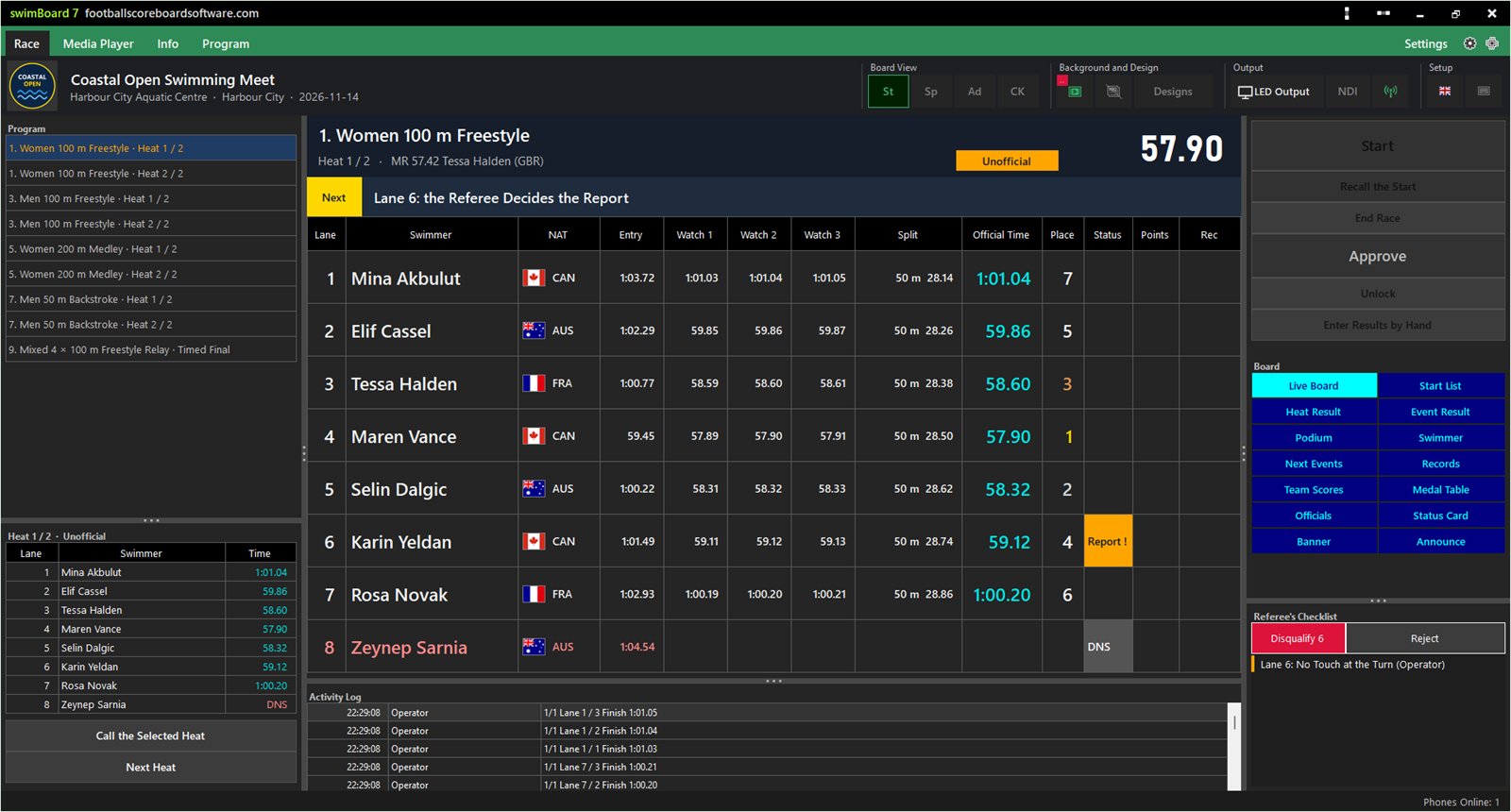
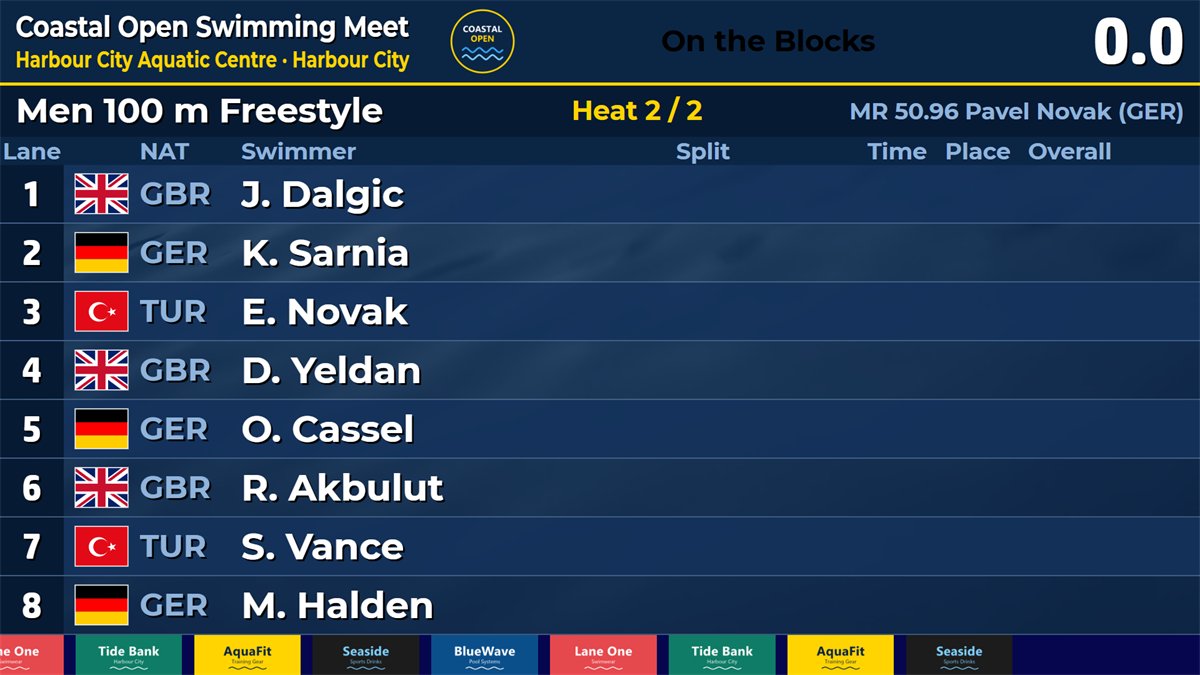
The race screen fills the whole window: program, lanes, watches, splits, the NEXT line, the Referee's checklist and the board buttons on one page. Every action is saved at once and follows on the board and the phones.
The yellow NEXT line says what comes next by the rules. After the race the checklist lists what is open, the most urgent first: a lane without a time, a report to decide, watches that differ, a time far from the entry. A heat with an open report or a lane without a time cannot be approved.
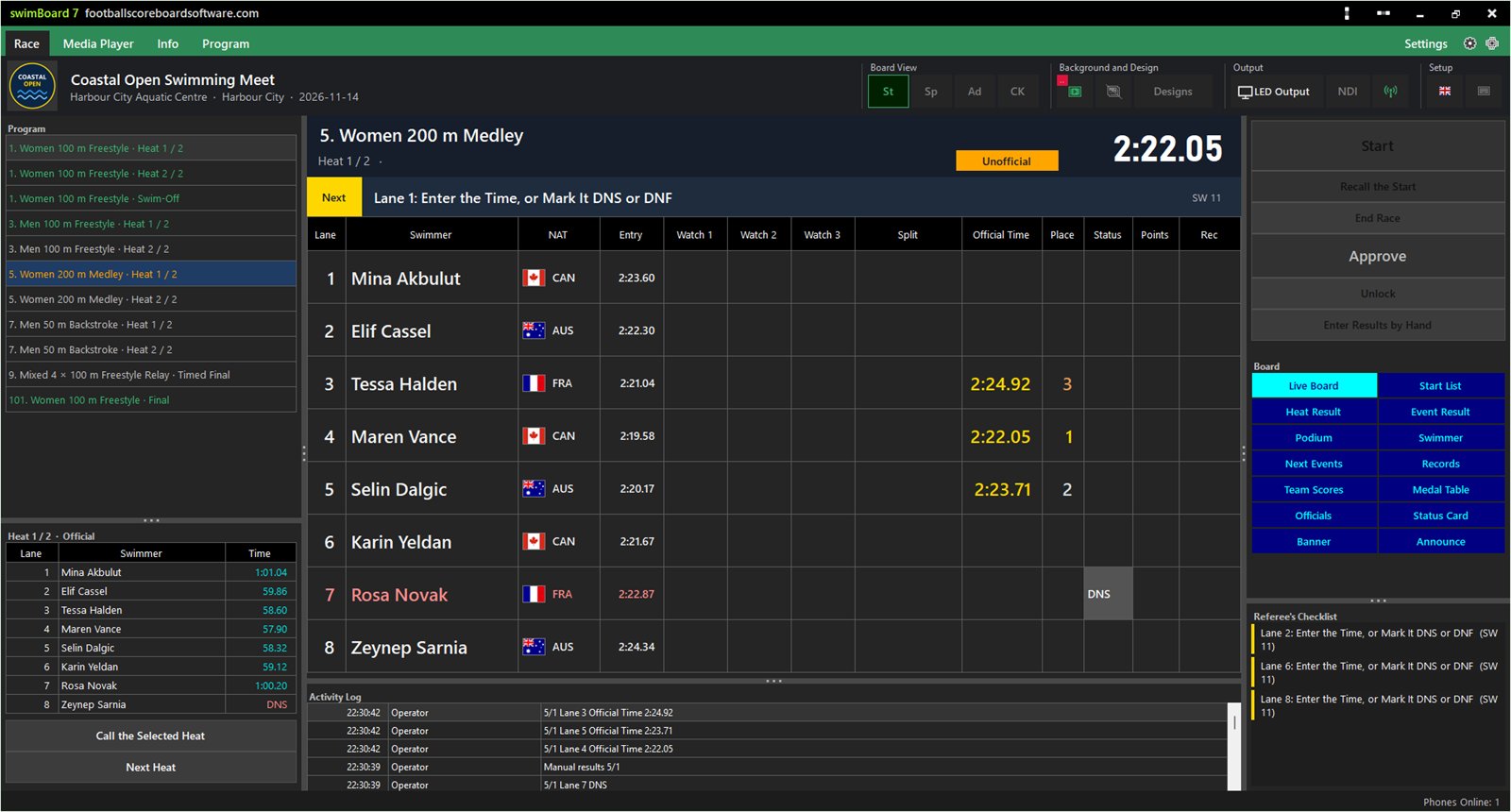
A club meet with stopwatches and paper works too. Enter Results by Hand takes the heat straight to Unofficial. Click a lane, type 22205 for 2:22.05 and the board follows at once. With several stopwatches, type each watch and the program applies the three-watch rule for you.
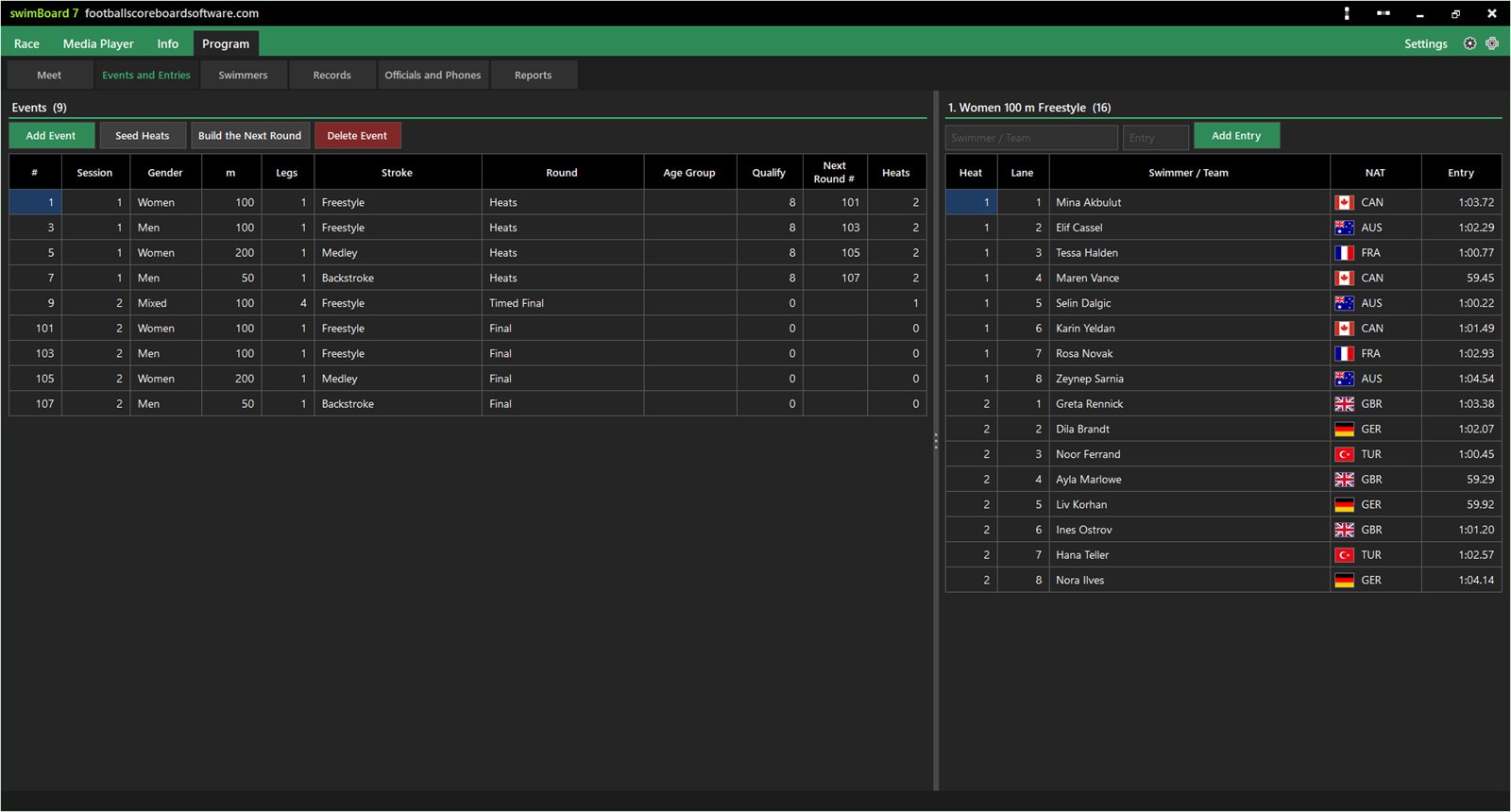
Import a Lenex file (.lxf, .lef) from your entry system, fill the Excel template or type the meet. The Program tab holds meet data, events and entries, swimmers, records, officials and reports.
Choose a report and an event, then preview, save as PDF or print. Reports carry the meet header, the records, the table and the legend, in the language of the program.
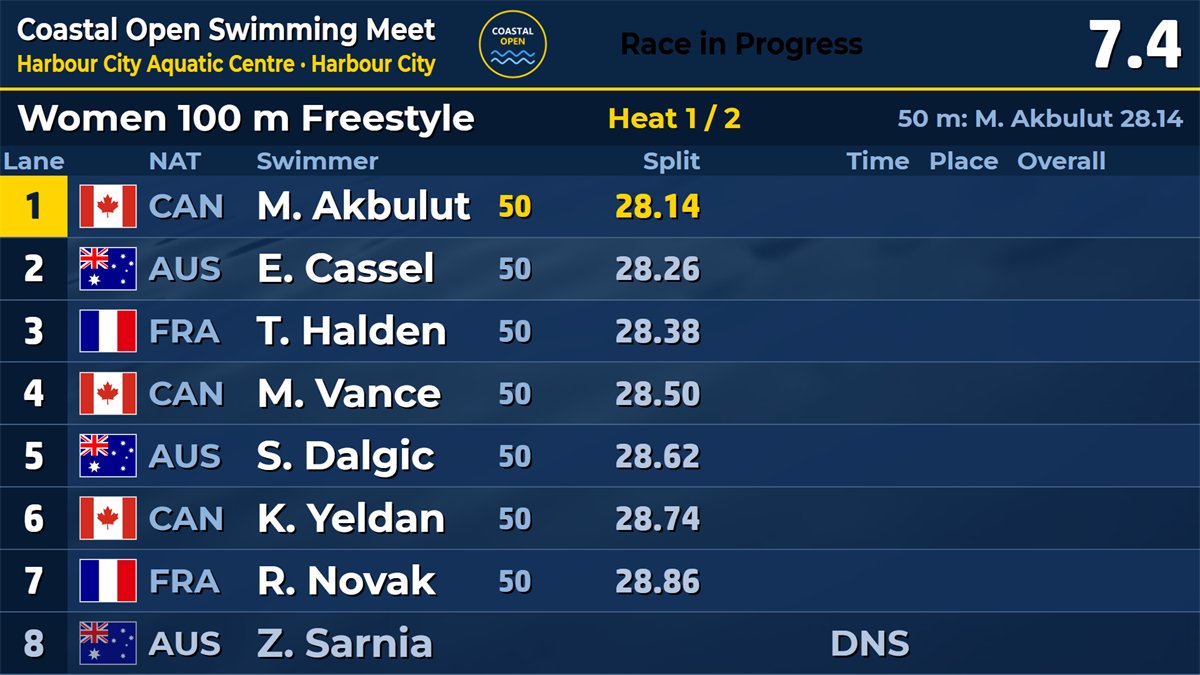
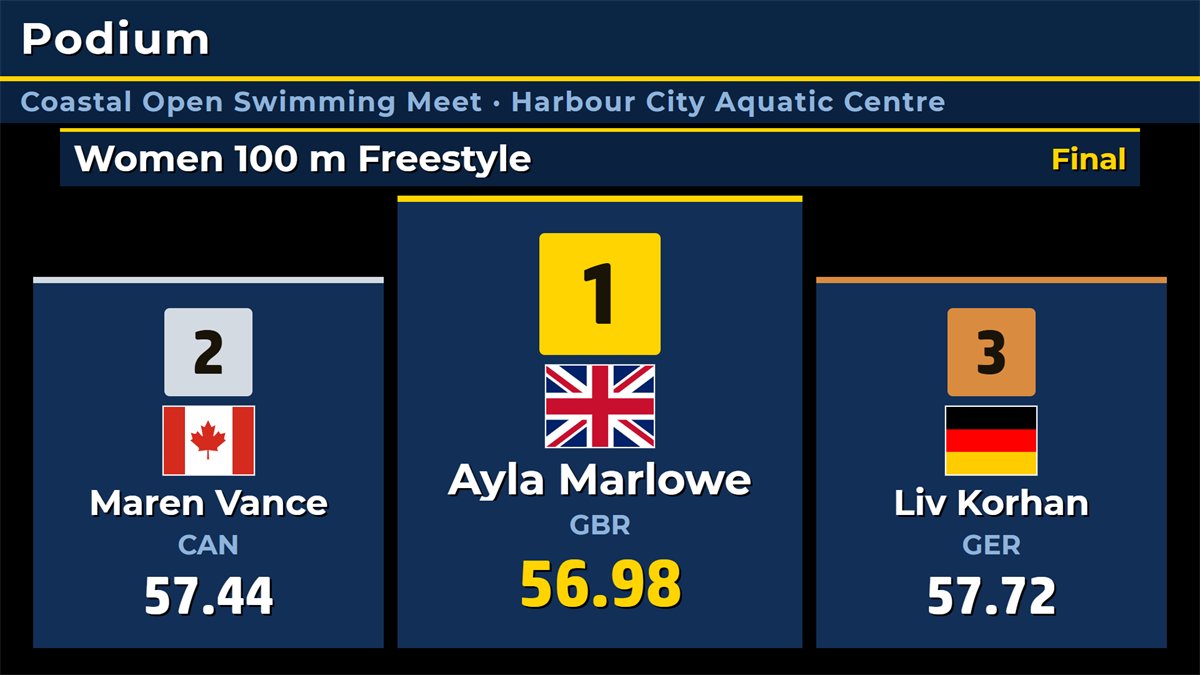
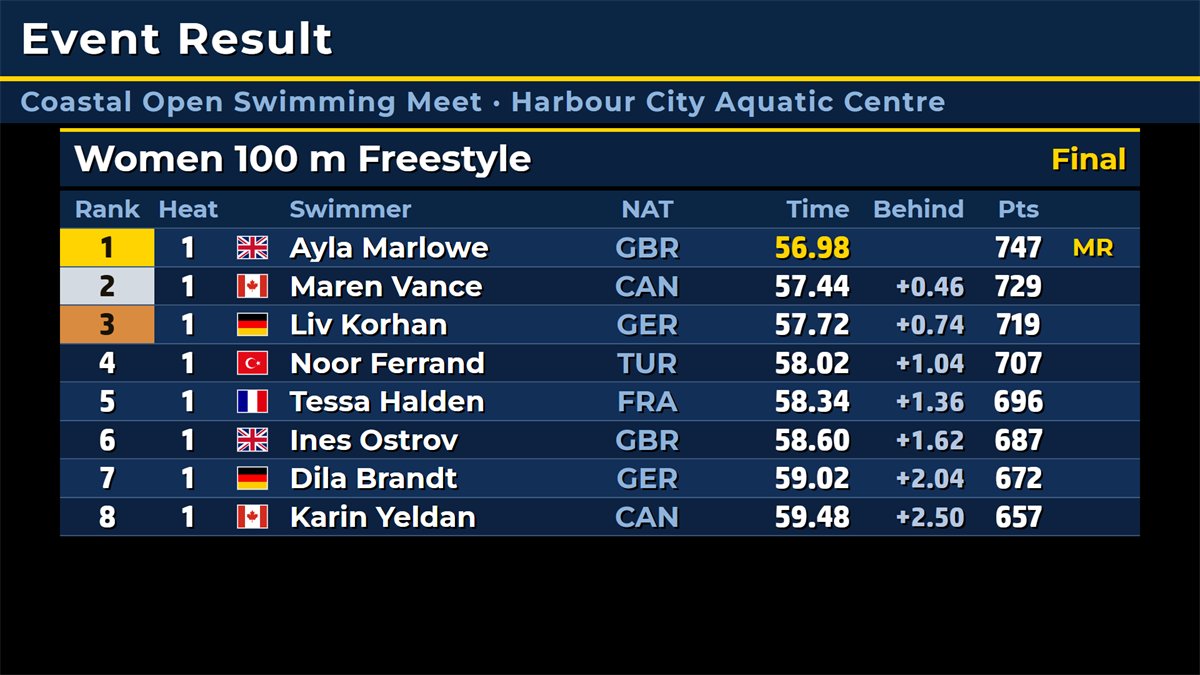
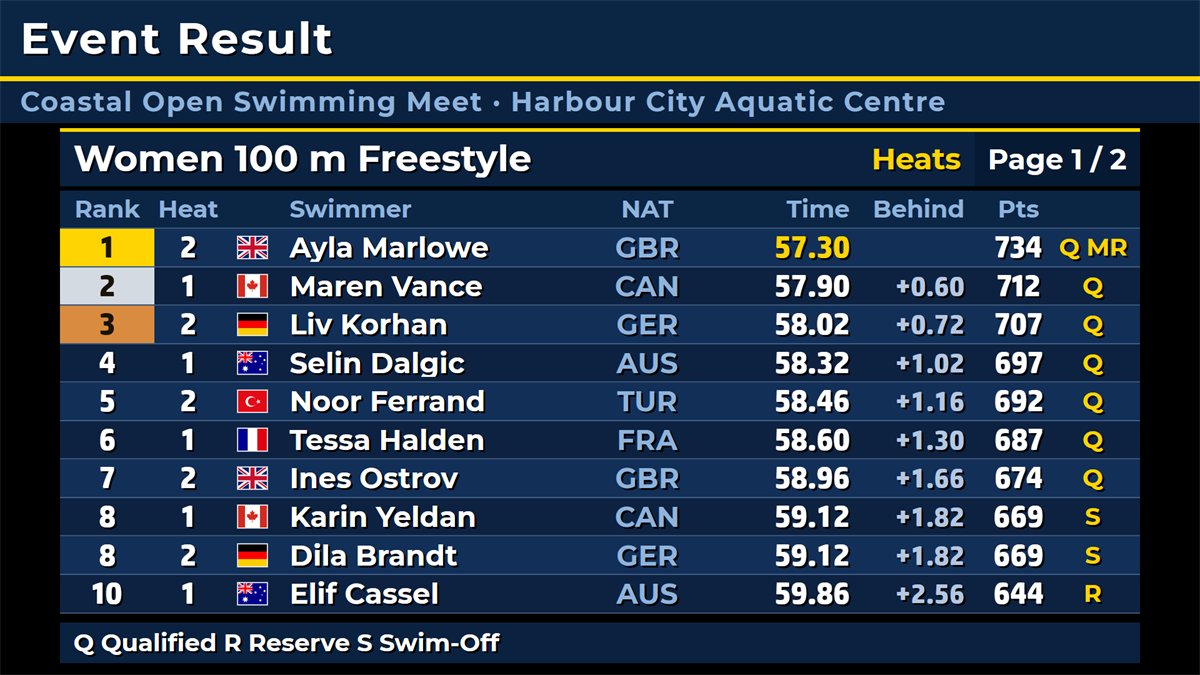
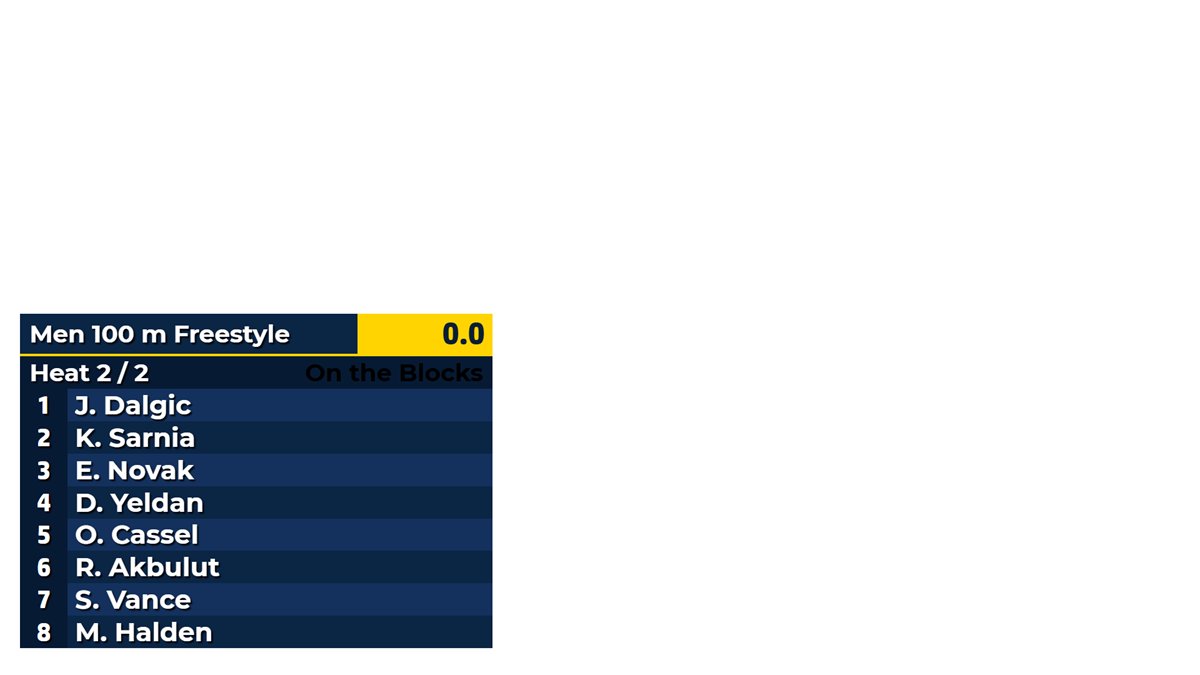
The live board shows the race as it happens. Eleven info screens fill the time between races: start list, heat and event results, podium, swimmer, next events, records, team scores, medal table, officials and a status card. In CK they appear as lower thirds.
Timekeepers, Starter, Finish Judge, stroke and turn judges, Chief Timekeeper, Recorder and Referee all work on a phone or tablet. There is nothing to install: the page opens in the browser on the venue network. Each seat has its own PIN and QR code and sees only what it may do.
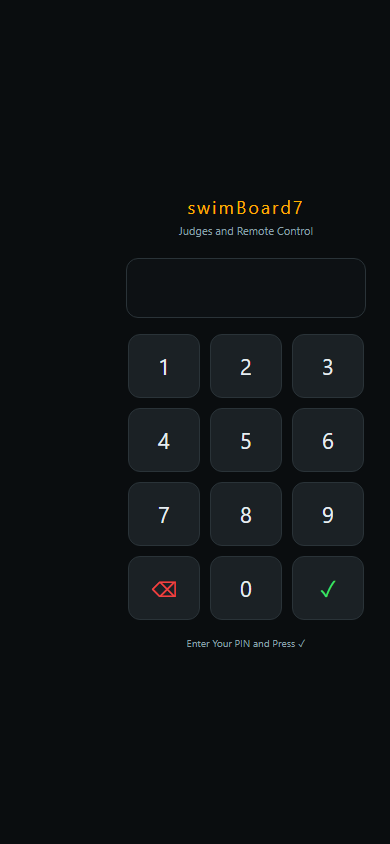
Print the Judges' Access sheet and scan the QR code of your seat, or type the PIN.
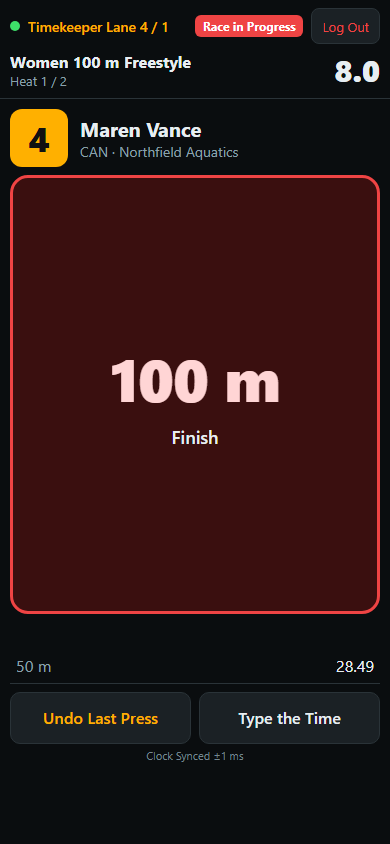
Green for a split, red for the finish. A press that cannot be sent waits on the phone and goes out when the network is back.
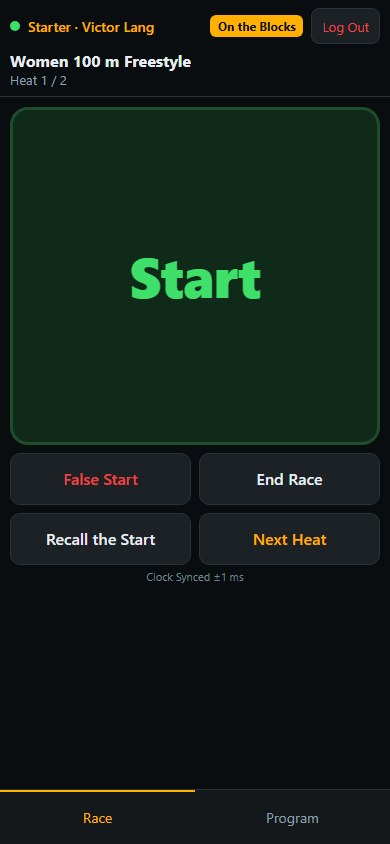
Start at the gun, False Start with the lane, Recall for a fault of the start, and the next heat.
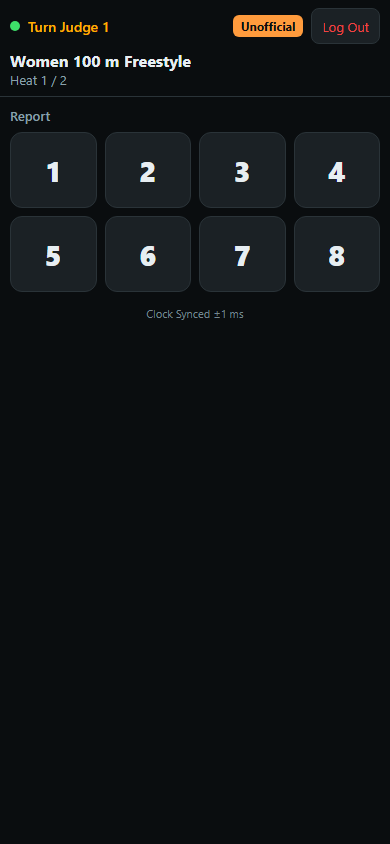
Tap the lane and choose the reason. Only the reasons of the stroke being swum appear.
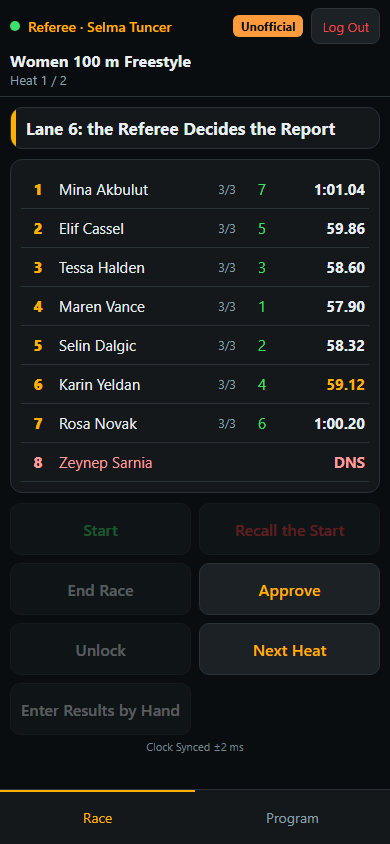
The same guide as the PC, every lane with its watches, Disqualify, Reject and Approve.
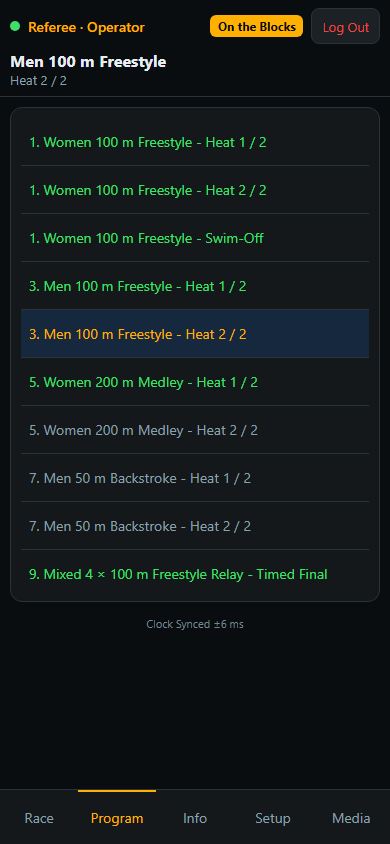
Race, Program, Info, Setup and Media tabs, for the operator who walks around the pool.
Served by the scoreboard itself. The phone pages are served by swimBoard7 on port 1907: no app store, no account and no internet connection needed. All phones must be on the same network as the PC. For your own systems an HTTP API covers the meet, and global keyboard shortcuts work on the numeric keypad.
Full-featured demo with a fictional meet ready to run. The word DEMO appears on the board for one second in every ten and on the info screens.
swimBoard7 is swimming scoreboard software for Windows 10 and 11. It holds the meet program, drives the LED wall, screen or video output, collects the hand times from the timekeepers' phones, works out the official times and prints the results. It is sold as a lifetime licence.
No. swimBoard7 connects to no touchpads, starting blocks or reaction-time equipment, and reaction times are not measured. All times are hand times: a press on a phone, or a time read from a stopwatch and typed in. The reports mark them HT, and a world record set this way cannot be ratified.
Each lane can have up to three watches. With three watches the middle one counts, as the World Aquatics rule says. With two watches the program takes the average, cut to hundredths. Watches that differ by 0.30 seconds or more are flagged for the Chief Timekeeper and the Referee.
Yes. Enter Results by Hand takes a heat straight to Unofficial, and you type the official time of each lane, or the watches, and the board follows at once. You can also keep the running clock on the board and type the watches after the race.
Yes, by World Aquatics rule SW 3: lane order from the centre, the fastest in the last heat, circle seeding in preliminaries up to 400 m, semifinals and next rounds. On a tie on the qualifying line the program asks for a swim-off, and before a final it can call the reserve for a withdrawal and seed the final again.
Yes. swimBoard7 reads Lenex files (.lxf, .lef) with sessions, events, heats, clubs, swimmers, entry times and records, and Excel or CSV start lists from a blank template. It writes the meet with its results back as a Lenex file for your meet management program or federation.
Yes. Points are calculated when a heat is approved. The program ships with the base times for short course 2025 and long course 2026, which carry end dates. When World Aquatics publishes a new table you load it in Program > Meet.
Yes. The Chroma Key mode draws a compact board and lower thirds on a key colour for a vision mixer, and the NDI button sends the board into the network as the stream SW7_NDI for vMix, OBS or any NDI receiver.
swimBoard7 costs $500 USD for a licence with output up to 1366 px wide, $1,000 up to 1920 px wide and $1,500 up to 3840 px wide (4K). Every licence is a lifetime licence with two years of free updates, a PC key and a USB dongle included. Buying several boards for one venue reduces the price.
Yes. The demo starts with a fictional meet and every feature works. The word DEMO appears on the board for one second in every ten and on the info screens. Download it from this page or from the Downloads page.
One-time payment from $500, two years of free updates, PC licence key and USB dongle both included. The phones, NDI output, HTTP API and every display mode are part of every licence.
Each scoreBoard7 scoreboard covers one sport family. Buying several boards for one venue reduces the price significantly.
Run the perimeter LED panels of any sport from one panel.
Modern, web-based LED perimeter player and playlist manager for the advertising panels around football and every other sport. Uploaded media auto-fits the panel; goals, scores, time-outs, cards and other quick actions cut in with a single click and return. A browser is enough — easy to install, even easier to run.
Download the swimBoard7 demo, play the sample meet and see the board on your own screen. Questions about meets, phones, LED sizes or broadcast set-ups are welcome.