Lifetime licence · free demo for every board · questions: arslan.ziya@gmail.com
Tutorial videosPricing

futsalBoard7 22 video lessons

Futsal scoreboard software tutorials

futsalBoard7 is the futsal scoreboard software for LED displays, projectors and TV graphics. These 22 lessons, 2 h 29 min in all, go through the program page by page: pick a lesson below and it plays here. The videos have no narration; on-screen captions explain each step.

  • 22 lessons
  • 2 h 29 min of video
  • On-screen captions

Main Window and Game Page

Match control

Media player

futsalBoard7 Tutorial 02 - Media Player (Playlists, clips and videos on the board)7:00

02 Media Player (Playlists, clips and videos on the board)

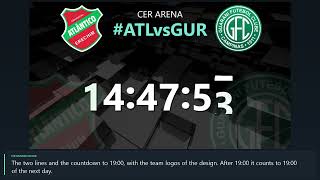
How to use the Media Player of futsalBoard7: playlists 1 to 20, the clip list, Add Clip and Delete Clip, playing one clip with Play, Pause and Stop, running a playlist with Start and Finish, Return to Scoreboard, sound, auto repeat, display mode and the URL list for web pages. The demo plays the sample clip of a new installation (Northwind_Promo.mp4, a fictional sponsor) and returns to the ATLÂNTICO - GUARANI scoreboard.

Chapters
  1. The Media Player page
  2. Playlists
  3. Adding and removing clips
  4. Playing one clip
  5. Running a playlist
  6. Return to Scoreboard
  7. Sound, repeat and display mode
  8. Web pages (URL)

Info screens and match graphics

futsalBoard7 Tutorial 03.06 - Info Screens of the Match7:12

03.06 Info Screens of the Match

The futsal info screens of futsalBoard7 for the events of a match: goal, card, substitution, accumulated fouls, one short, timeout, penalty kick, period and match result and the kicks from the penalty mark. Each screen is filled in its editor, shown on the board and taken off again. Demo: ATLÂNTICO vs GUARANI, second period, 3 - 2.

Chapters
  1. The Info Screens
  2. Goal
  3. Card and One Short
  4. Substitution
  5. Fouls and timeout
  6. Penalty kick
  7. Period and match result
  8. Shoot-out and Hide
futsalBoard7 Tutorial 03.07 - Info Screens of Players and Tables4:48

03.07 Info Screens of Players and Tables

The futsal info screens of futsalBoard7 for players and tables: starting lineup, player intro, player of the match, match statistics, standings, results and officials. Each screen is filled in its editor, shown on the board and taken off again. Demo: ATLÂNTICO vs GUARANI, the factory player lists, statistics and officials of a new installation.

Chapters
  1. Starting Lineup
  2. Player Intro
  3. Player of the Match
  4. Match Statistics
  5. Standings and Results
  6. Officials and Hide

Statistics

Sponsored, advertisement and chroma key modes

futsalBoard7 Tutorial 05.01 - Sponsored Mode (Sponsor logos, scrolling texts and the band settings)7:07

05.01 Sponsored Mode (Sponsor logos, scrolling texts and the band settings)

Sponsored mode in futsalBoard7: the Standard scoreboard with a sponsor band below or above it. The band shows the sponsor logos sliding through or one of four scrolling texts. How to switch to the mode, fill the band, change the slide and text style, the font and the colours, and set the location and the height of the band.

Chapters
  1. Switching to Sponsored mode
  2. Sponsor logos
  3. The sponsor list
  4. Slide style
  5. Scrolling texts
  6. Text style, font and colours
  7. Location and height
futsalBoard7 Tutorial 05.02 - Advertisement Mode6:42

05.02 Advertisement Mode

Advertisement mode in futsalBoard7: the board is shared by a scoreboard column, up to two banners and a large multimedia area for clips, a camera or a part of the screen. The Media Player, Camera, Screen Capture, Banner and Settings tabs of the Ad page: playlists, live sources, the layout of the board and the banner content.

Chapters
  1. Switching to Advertisement mode
  2. Media Player
  3. Camera and Screen Capture
  4. Settings: the layout
  5. Banner content
  6. Leaving the mode
futsalBoard7 Tutorial 05.03 - Chroma Key (A keyed scorebug and lower thirds for your vision mixer)6:34

05.03 Chroma Key (A keyed scorebug and lower thirds for your vision mixer)

Chroma Key mode in futsalBoard7: a compact scorebug and lower thirds on a plain key colour, ready to be keyed over the camera picture by a vision mixer or streaming software. The CK page: the scorebug, the futsal info screens as lower thirds, the classic CK screens, clips, camera and screen capture behind the graphics, and the key colour.

Chapters
  1. What chroma key is for
  2. Info screens as lower thirds
  3. Classic CK screens
  4. Media Player
  5. Camera and Screen Capture
  6. Key colour

Settings, design editor and remote control

futsalBoard7 Tutorial 06.01 - Settings: License and Screen7:19

06.01 Settings: License and Screen

The Settings page of futsalBoard7, part 1: the Settings tabs, the License tab with the Computer ID, the licence key, License Info, the licence terms, DEMO mode and the USB License Creator, and every row of Screen Properties. User guide chapters 3 (Licensing), 9.2 and 15.1 to 15.2 (Settings).

Chapters
  1. The Settings page
  2. Computer ID and licence key
  3. License Info and terms
  4. Licence states and DEMO
  5. USB licence
  6. Board position and size
  7. Periods and the other rows
futsalBoard7 Tutorial 06.02 - Board Design Editor7:47

06.02 Board Design Editor

The board design editor of futsalBoard7: the design tab of each display mode, pages and elements, Location and Style, colours and fonts, Save & Apply, Save Design As, Factory Settings, the Chroma Key editor and the design gallery. User guide chapters 11 (Designs and the Design Editor) and 15.3 (Board Design Tabs).

Chapters
  1. Opening the editor
  2. Pages
  3. Elements and the eye
  4. Location and Style
  5. A new colour
  6. Fonts and rows
  7. Save Design As and Factory Settings
  8. The CK editor
  9. The design gallery
futsalBoard7 Tutorial 06.03 - Remote Control and Language7:33

06.03 Remote Control and Language

Remote control, language and keyboard settings of futsalBoard7: the remote server, address and QR code, PIN, Internet access and the HTTP API, the phone page, the interface language, the texts and the board titles, the global keyboard shortcuts and the tutorial videos. User guide chapters 13 (Remote Control), 14 (HTTP API) and 15.4 to 15.6 (Settings).

Chapters
  1. The Remote Control page
  2. Address, QR code and PIN
  3. Internet and the API
  4. The phone page
  5. Language
  6. Board titles
  7. Keyboard shortcuts
  8. Youtube Tutorials

Try futsalBoard7 free

Follow the lessons on your own PC. The demo has every feature and shows only a small DEMO watermark.

Tutorials for other sports